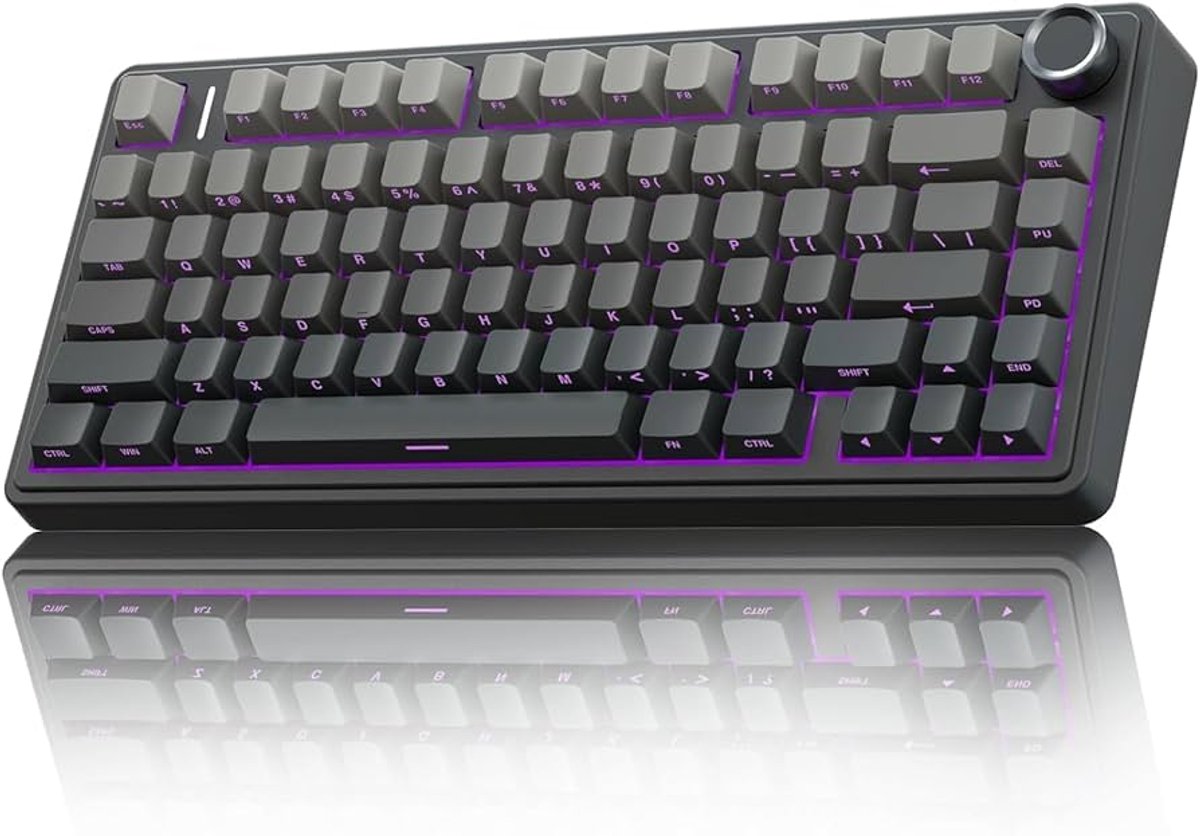
You are comparing keyboards and some have a whole block of keys on the right while others look like someone took scissors to them. Same letters, same spacebar, very different shapes. The size you pick changes two things: which keys you can reach with one press, and how much desk you have left for your mouse.
The five common sizes
Keyboard sizes are named by how much of the original full layout they keep. The percentages are loose labels, not exact measurements, and key counts vary a little between makers (and between US and European layouts). TKL stands for "tenkeyless", meaning no number pad. Widths below are rough and include the keyboard's frame.
| Size | Keys | Width | Gone |
|---|
| Full-size | ~104 | ~44 cm | Nothing |
| TKL | ~87 | ~36 cm | Number pad |
| 75% | ~82 | ~32 cm | Number pad, block gaps |
| 65% | ~68 | ~32 cm | Also the F-row |
| 60% | 61 | ~30 cm | Also arrows, Home/End |
Notice that 75% and 65% are about as wide as each other: the 65% is shorter from top to bottom, not narrower. TKL is the first big step down in width, because losing the number pad frees roughly 8 cm in one go.
Try the sizes yourself
Pick a size, then tick the keys you actually use. The drawing is to the same scale every time, so you can see the board shrink. The bar underneath shows how much of your desk is left over.
What you lose, and how a Fn layer gives it back
Smaller boards do not delete keys, they hide them. Most compact keyboards have an Fn key: hold it and the number keys become F1–F12, or the I/J/K/L keys become arrows, depending on the model. The keys are still there, but they cost you a second finger. That is fine for the occasional use and annoying for the keys you press all the time.
So the useful question is not "which size is best" but "which keys do I press without thinking". Many PC games use the F-row for things like quick save and quick load. Strategy and simulation games often use the number pad for camera moves or hotkeys. Menus, chat and spreadsheets want arrows. If one of those is on your list, pick a size that keeps it on its own key.
Does a smaller keyboard help your aim?
Not by itself. What a compact board gives you is room. With a full-size keyboard, the right edge sits where your mouse hand wants to swing, so you either squeeze the mouse in beside the number pad or push the keyboard left and angle your wrist. Players who use low mouse sensitivity, which means big arm sweeps, often choose TKL or smaller for that reason. If you play with high sensitivity and small wrist moves, a full-size board costs you nothing.
The other side of the trade: a 60% takes the least room but asks you to learn Fn combinations. For a first board, TKL and 75% are the safest middle ground, because they keep arrows and the F-row. If you want to type, do spreadsheets or play number-pad-heavy games, full-size is still the practical choice.
What to look for
Around €30–60. Pick the layout first, then check the keys you need exist on their own. At this price, look for a clear key count, a USB cable that detaches or at least a sturdy one, and a layout that matches your language (ISO or ANSI, your country's letters). Skip anything that hides the size in the listing.
Around €60–120. You are now paying for wireless, a better frame, or keys you can swap. Look for: wireless that also works wired (so you never lose a game to a flat battery), a software or on-board way to remap the Fn layer, and a hot-swap option if you want to change switches later.
Around €120 and up. Expect better build and battery life rather than a better layout. Look for solid battery life stated by the maker, a keyboard you can rebind without installing heavy software, and a layout you are sure you want, since compact boards are harder to return to full-size habits.