How do game mods work? Load order and why the last mod wins
Ever installed two mods and watched one quietly stop working? A mod is a small package that swaps or adds the data files a game reads, and when two mods change the same thing, the game follows a load order: the last one wins.
Reorder three example mods in the interactive and see which one overrules the others, then learn the common reasons mods fail and how to start modding safely.
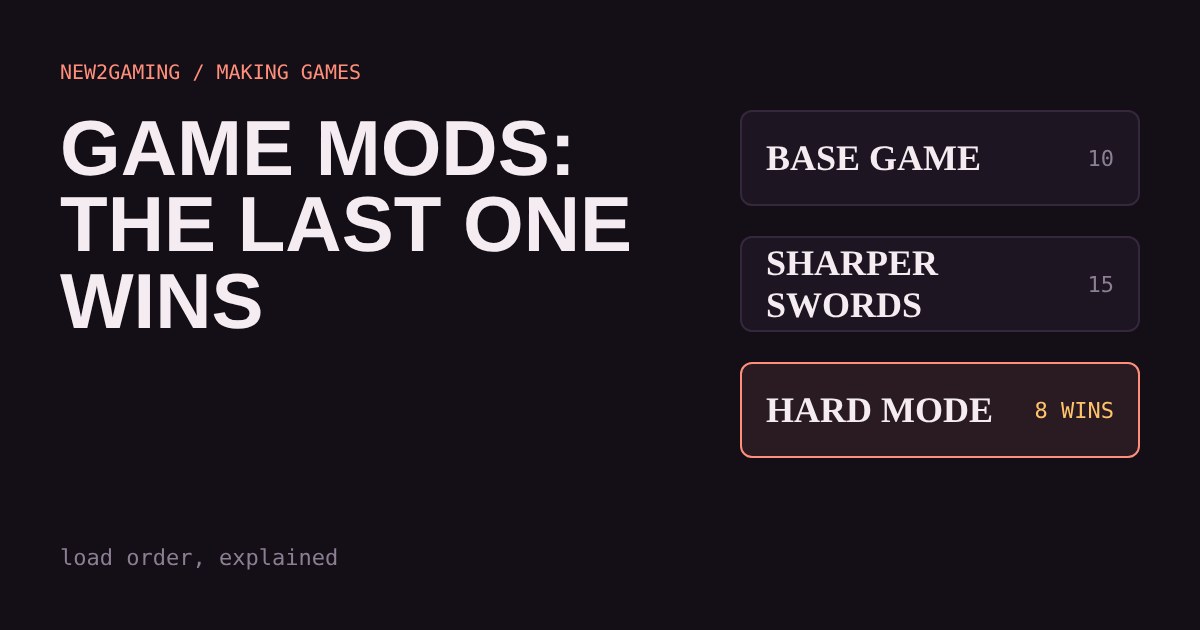
Two mods, one sword
You install a mod that makes swords stronger. Then you install a second mod that makes swords look golden. Suddenly your sword is back to its old damage. Nothing is broken. The two mods just both wanted to change the same thing, and the game had to pick one.
That choice is made by load order, and once you understand it, most "my mods stopped working" problems stop being mysterious. This guide is also a first taste of how a game is made: a game is mostly a pile of data files, and a mod is a way of changing that pile.
What a mod actually is
When you start a game, it reads a lot of files: how much health a goblin has, what colour a sword is, which sound plays when you jump. A mod is a small package that adds new files or replaces some of those. The game itself isn't rewritten. It just reads different data.
Think of the base game as a recipe book. A mod is a sticky note that says "page 12: use 15 grams of sugar, not 10." If the game is designed to look for those notes, it will follow them.
Why order matters
Now imagine two sticky notes on the same page, one saying 15 grams and one saying 12. The cook can only follow one. Most games solve this with a simple rule: mods are applied one after another, and the last one wins for anything they both change. Mods that touch different things don't clash at all.
The list the game follows is the load order. Some games let you edit it directly. Others work it out for you, for example by sorting mod names alphabetically, which is why some people rename a mod file to make it load later.
Reading the clash
Try it. Sword damage is changed by all three mods. Whichever one sits lowest in the list decides the number, and the others are silently overruled. The gold colour only comes from one mod, so it survives whatever order you choose.
That is the important bit: a mod isn't "broken" because another mod overruled part of it. It lost an argument it didn't know it was having. Turning a mod off, as the buttons above do, simply removes its vote.
Other things that go wrong
Missing requirements. Some mods build on another mod or on a game update. If the thing they need isn't there, they can fail to load or crash the game. Mod pages usually list this near the top.
Game updates. When a game changes its own files, a mod written for the old version can stop matching. Mod authors often need to update afterwards, so waiting a few days after a big patch is common advice.
Too many at once. Each mod adds a little work, and every extra mod is another chance for a clash. Adding mods one or two at a time lets you see which one caused a problem.
What to try as a first-time modder
If you'd like to start making your own, change one number. Find a setting like jump height or enemy health in a game that officially supports mods, change it, and see the result. That is the whole idea of modding in miniature, and it works the same way as the sticky note above.
Look for what the game officially supports, such as a built-in workshop or an editor from the developer. Official tools are safer than random downloads, and they tell you how the game orders its mods. Only download from sources you trust, and keep a copy of your saves before you experiment.
The habit worth keeping: change one thing, test, then change the next. When something breaks, you'll know which change did it.
More in Making Games
all Making Games →28 Oct How does a game know two things touched? Collision boxes, circles and bullets that pass through walls How does a game know that two things touched? It doesn't look at the artwork. Every object gets a simple invisible shape, and the game… Making Games
26 Oct How does a game play sound? Pitch, volume and why repeated sounds get annoying Why does a game's footstep sound fake after ten minutes? Because the same file plays at the same pitch and volume every time. Learn what… Making Games
24 Oct Why does a jump feel good? Coyote time and jump buffering explained Ever pressed jump a moment too late and still made it? That is coyote time, and its partner jump buffering catches presses that come a… Making Games
22 Oct What is procedural generation? Seeds and caves explained Procedural generation lets a game build levels from a few rules instead of storing every tile. Here you grow a cave yourself: scatter… Making Games
20 Oct How does an enemy decide what to do? State machines explained How does a game guard seem to think? Usually with a finite state machine: a few states like Patrol, Chase and Search, plus simple rules for… Making Games
18 Oct Why does a game run faster on a faster PC? Game loop and delta time explained Ever noticed a game run faster on a quicker computer? That's the game loop at work. If you move things a fixed amount every frame, a faster…