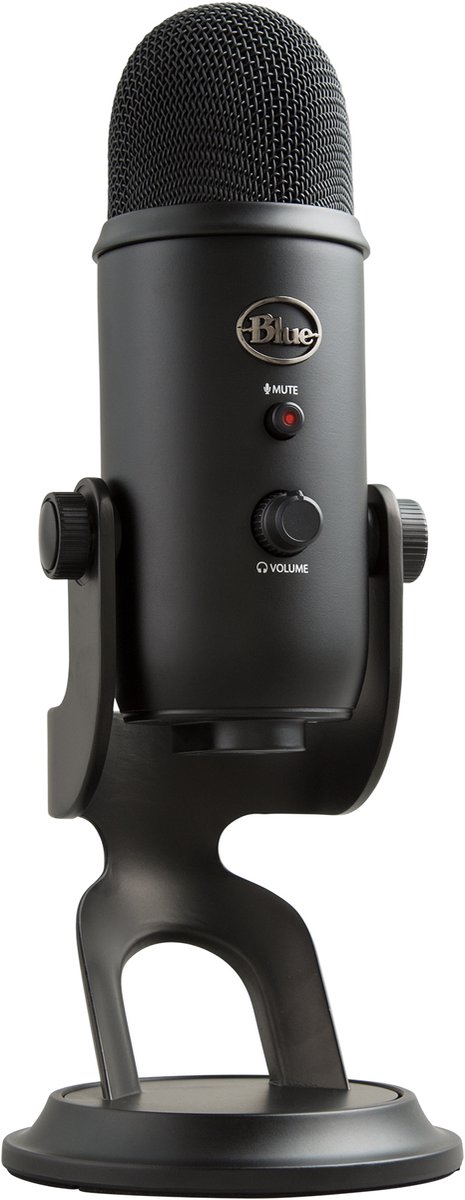
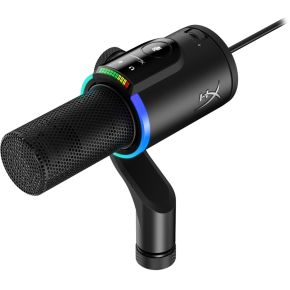
Every voice chat has the same quiet problem: your teammates hear your keyboard, your fan and half of your room. Most people blame the microphone. Usually the real cause is how far the microphone sits from your mouth and which directions it listens to. This guide explains both, and then tells you when a headset mic is enough and when a separate USB microphone is worth buying.
What a microphone actually does
A microphone turns air pressure into an electrical signal. It cannot tell your voice from a fan: both are just sound. What you can control is how loud your voice is compared with everything else. That ratio is called the signal-to-noise ratio. A high ratio sounds clear. A low one sounds like you are talking from inside a cupboard.
Two things move that ratio the most. The first is distance. Sound spreads out as it travels, so a microphone twice as far away hears your voice noticeably quieter, while the room noise stays about the same. The second is the pickup pattern, which is the set of directions the microphone listens to.
Pickup patterns in plain words
An omnidirectional microphone listens to everything around it equally. It is good for a group around one table, and poor for a noisy room. A cardioid microphone listens mostly to the front and is deaf to the back, so it ignores the fan behind it. Most gaming and streaming microphones use cardioid for exactly that reason. Some, like the Blue Yeti, let you switch between several patterns, including bidirectional (front and back, for two people facing each other) and stereo.
Why a headset mic is often fine
A headset boom microphone sits a few centimetres from your mouth. That tiny distance is its superpower: your voice is so much louder than the room that even a cheap capsule sounds usable. Try the Headset boom button above. The bar jumps to "Clear" without any fancy hardware. The weakness is quality, not clarity: small capsules in budget headsets can sound thin or tinny, and they pick up breath and plosives (the puff on "p" and "b") if the boom is right in front of your lips. Angle it just to the side of your mouth.
If you only talk to friends in game chat, a decent headset mic is all you need. Spend on a better headset first, since you wear it for every minute of play.
When a separate USB microphone is worth it
A standalone microphone makes sense when you want your voice to sound fuller and more natural, for example if you stream, record videos, run a community voice channel or talk for hours. It also frees you from wearing a boom arm. The trade-off is distance. A desk microphone sits farther away than a boom, so it needs a better pattern and good placement to keep room noise out.
Three things matter when picking one:
Dynamic or condenser. A condenser capsule is sensitive and picks up fine detail, but it also picks up your keyboard and the room. A dynamic capsule is less sensitive, so it ignores background sound better, which suits a noisy gaming desk. Dynamic microphones usually want to be close, about a fist from your mouth.
Pickup pattern. Cardioid is the default for one person at a desk. Omnidirectional only makes sense when several people share one microphone.
Connection. USB plugs straight into your PC or console and just works. XLR is the professional connector and needs extra gear, so beginners can skip it. Some models offer both, which lets you start with USB and grow later.
Whatever you buy, placement beats price. Put the microphone about a hand-width to a fist from your mouth, slightly off to the side, with a pop filter if you have one, and keep it off the desk surface where possible, because desks carry every thump of the keyboard and mouse straight into it. An arm or a shock mount helps.
What to look for
At a low budget, look for a USB microphone with a cardioid pattern or a headset with a boom you can position yourself. At a middle budget, look for a clear mute button, an easy gain control and a stand that lets you place the mic close to you. At a higher budget, look for a dynamic capsule, USB with an optional XLR connection, and a mount that isolates the microphone from desk vibrations. Whichever you pick, check that it works with your platform, since some USB microphones work on a PC but not on every console.