A gaming keyboard looks like a grid of identical buttons, but under every key cap sits a small switch, and the type of switch decides how the key feels and how fast it reacts. Shops list names like "Red", "Brown", "Blue" or "magnetic" and expect you to know what they mean. You don't need to memorise colours. You only need to know four feels and one idea: actuation.
What actuation means
When you press a key it travels down a few millimetres. The keyboard does not register the press at the bottom; it registers it at a set point on the way down, called the actuation point. On many classic full-height mechanical switches that point is around 2 mm of roughly 4 mm total travel. A lower actuation point means the key fires sooner, and the shorter the finger movement, the less tiring a long session is.
The other half is the reset point: how far you have to let the key come back up before it can fire again. In most switches the reset sits a little above the actuation point, so you can't re-fire from a tiny wiggle.
Try the four feels
Pick a switch, then press the key by dragging it down (or use the slider). The numbers are typical, illustrative values to show the idea, not the spec of one product.
Notice the wiggle test. On linear, tactile and clicky switches you have to lift above the reset line before the next press counts, so six light taps near the fire point give you one press, or none. A magnetic switch with rapid trigger counts every small up-and-down movement, which is why it is popular for quick direction changes in shooters.
The four feels
Linear
No bump, no click, just a smooth slide. Easy to double-tap and quiet. The downside is no touch feedback, so you can hit keys more often than you meant to.
Tactile
A small bump at the fire point. You can feel that the key registered, which many people find helpful for both typing and gaming.
Clicky
The bump plus a sharp click. It sounds great to the typist and can be annoying to everyone else, and your microphone may pick it up.
Magnetic (Hall effect)
These use a magnet and a sensor rather than a metal contact, so the keyboard knows exactly how far down each key is. Features include an adjustable fire point and rapid trigger. They tend to cost more, but not always: some budget models exist. If you mostly play slower games, you will not miss them.
Does it matter for you?
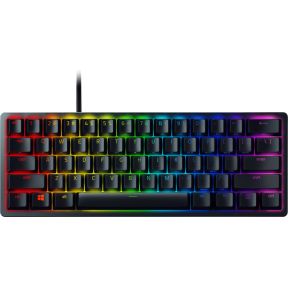
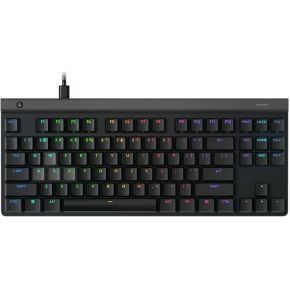
For most beginners, the layout and size of the keyboard affects comfort more than the switch type. A compact 60% or 65% keyboard frees desk space for your mouse; a tenkeyless (TKL) board keeps the arrow keys and a few more. If you play competitive shooters, a lower or adjustable actuation point is a real option. If you type a lot, a tactile switch is a safe choice. If you share a room, avoid clicky.
Some keyboards are "hot-swappable", which means you can pull the switches out and try different ones without soldering. That takes some of the pressure off the first choice.
What to look for
Around €50–100: a compact or TKL board with linear or tactile switches, a wired connection (no lag worries, no battery) and PBT key caps if you can find them.
Around €100–150: adjustable actuation and rapid trigger, if you play fast shooters, or a good tactile board with a solid build.
€150 and up: wireless with a low-latency dongle, a lower-profile design and extras like on-board profiles. Check that the layout (US or ISO) matches the keys you expect.