Why doesn't Roblox have one age rating? Maturity labels for user-made games
Roblox isn't one game, it's millions of games made by players, so a single age rating can't describe it. This guide explains how Roblox's maturity labels (Minimal, Mild, Moderate and Restricted) work, what they leave out, and why chat, spending and trading need their own check.
Use the interactive to set your limits and see which example experiences fit. Then learn where Roblox's parental controls live and what to check before you say yes.
Most games you buy come with one age rating on the box or store page. Roblox doesn't work like that. It is a platform with millions of small games, called experiences, built by players around the world. One experience is a cartoon obstacle course; the next might be a horror story. Nobody can stamp a single rating on "Roblox" and have it mean much.
One rating for the app, labels for what's inside
The app itself does have a rating. The ESRB, the North American ratings board, rates Roblox "Teen" and warns that some experiences may not suit younger kids. But the rating can't describe each experience. Instead, Roblox uses its own system of maturity labels, which creators fill in by answering questions about what their experience contains.
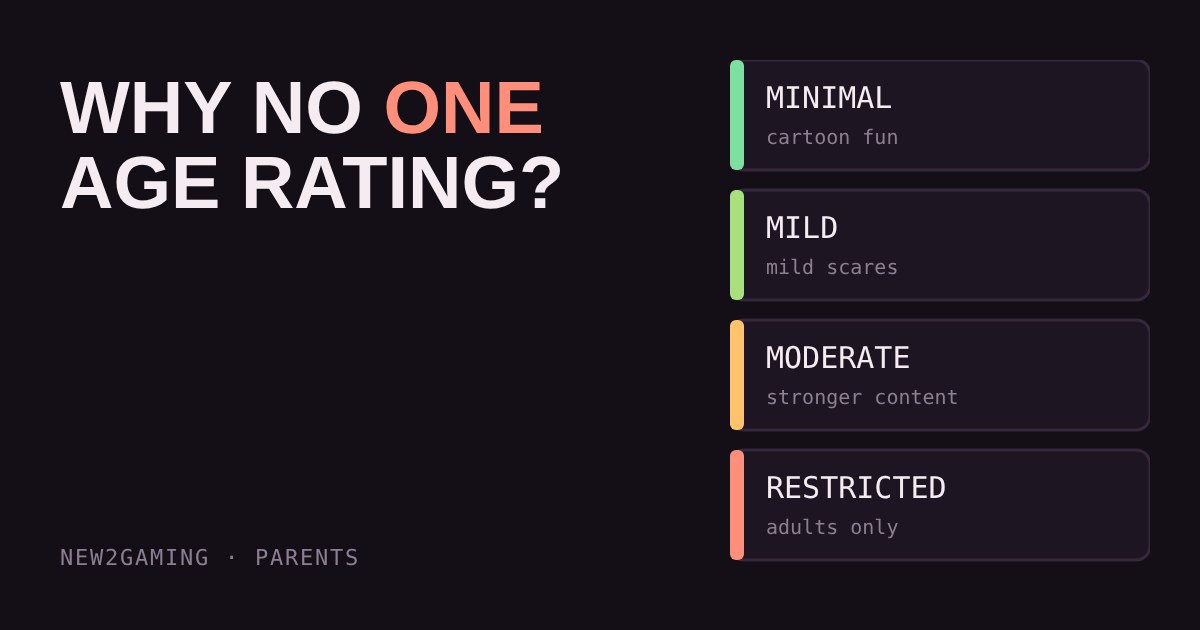
The labels run in steps. Minimal covers occasional mild violence or light, unrealistic blood. Mild allows repeated mild violence, mild scares and crude humour. Moderate goes further: moderate violence, some realistic blood, stronger scares. Restricted is for strong violence, romantic themes, alcohol or strong language, and is meant for adults who have verified their age with ID. Which labels an account can open depends on the age on the account, and Roblox adjusts those bands from time to time, so check the current table in the Roblox parental settings rather than trusting an article.
Labels describe content, not people
A label tells you what is in the experience. It doesn't tell you who else is playing it, and that is the part worth thinking about. Other features carry their own flags, and a game that is Minimal for violence can still have chat, paid items or trading.
Three things are worth checking separately from the label:
- Chat. Can players talk to strangers, by text or voice? Roblox limits who can chat with whom by age group, and chat for younger accounts is more restricted and filtered, but filters aren't perfect.
- Spending. Many experiences sell in-game items for Robux, the platform's currency. Some items are random, which makes them work like a loot box.
- Trading. Swapping items between players invites pressure and scams.
The tool below lets you test this with four made-up example experiences. Set the most mature label you're happy with, then switch chat, spending and random items on or off, and watch which examples pass.
Where to set the limits
Roblox has its own parental controls, and the details differ by age. For younger children, a parent links their own account to the child's and can then manage which content the child can open, who they can talk to, how much they can spend and for how long they can play. For teenagers, Roblox leans on transparency tools instead, where the teen invites a parent to link accounts and see what they do. That last step needs the teen's agreement, so it works better as a conversation than a setting.
Roblox has also been tightening chat. From late 2025 it began requiring an age check, a quick face scan or ID, before chat is available, and uses the result to put people in age groups so adults and young children are less likely to end up in the same conversation. Treat this as a safeguard that helps, not a guarantee, and expect details to keep changing.
What to look for
Before saying yes to a Roblox experience, spend two minutes on these things:
- The maturity label. Set the account's limit once in the parental settings, so your child can't wander into something above it.
- Chat. Decide whether open chat is on, limited to friends, or off. Turning it off removes most of the risk of talking to strangers.
- Spending. Set a monthly limit or require approval, and watch for random items that behave like loot boxes.
- Sit in on one session. Ten minutes watching tells you more than any label.
The label is a good first filter, not the whole decision. For everything else, the best tool is still talking about what your child plays, and making it easy for them to tell you when something feels off.
More in Parents
all Parents →27 Oct Why is it so hard to stop playing? Streaks, daily rewards and the one-more-match trap Many games are built with no natural place to stop, which is why "ten more minutes" so often turns into an argument. This guide explains… Parents
25 Oct Do gaming breaks matter? Eyes, posture and the 20-20-20 rule for kids Do long gaming sessions strain your child's eyes and back? Screens can leave eyes dry and tired because we blink less while focusing, and a… Parents
23 Oct What do game age ratings mean? PEGI, ESRB and what they leave out An age rating tells you what a game contains, not how hard it is or who you'll meet online. PEGI and ESRB use different age steps, but both… Parents
21 Oct How do you spot a gaming scam? Free skins, fake logins and the four red flags Gaming scams target kids with free currency, fake "account security" emails and strangers who want a login code. They all pull the same… Parents
19 Oct How much gaming is too much? Build a screen-time plan that fits the day There is no single right number of gaming hours, because what matters is what the gaming pushes out. This guide shows a simple order of… Parents
17 Oct Which parental controls should you switch on first? A setup planner by age Every console has parental controls, but the menus are long and confusing. This guide boils them down to four switches: time, spending…