Why does a game run faster on a faster PC? Game loop and delta time explained
Ever noticed a game run faster on a quicker computer? That's the *game loop* at work. If you move things a fixed amount every frame, a faster machine means faster gameplay.
Delta time fixes it by moving things by speed × time since the last frame. Drag the frame-rate slider and watch a frame-locked square race ahead while the delta-time square stays steady, then learn the traps that still remain.
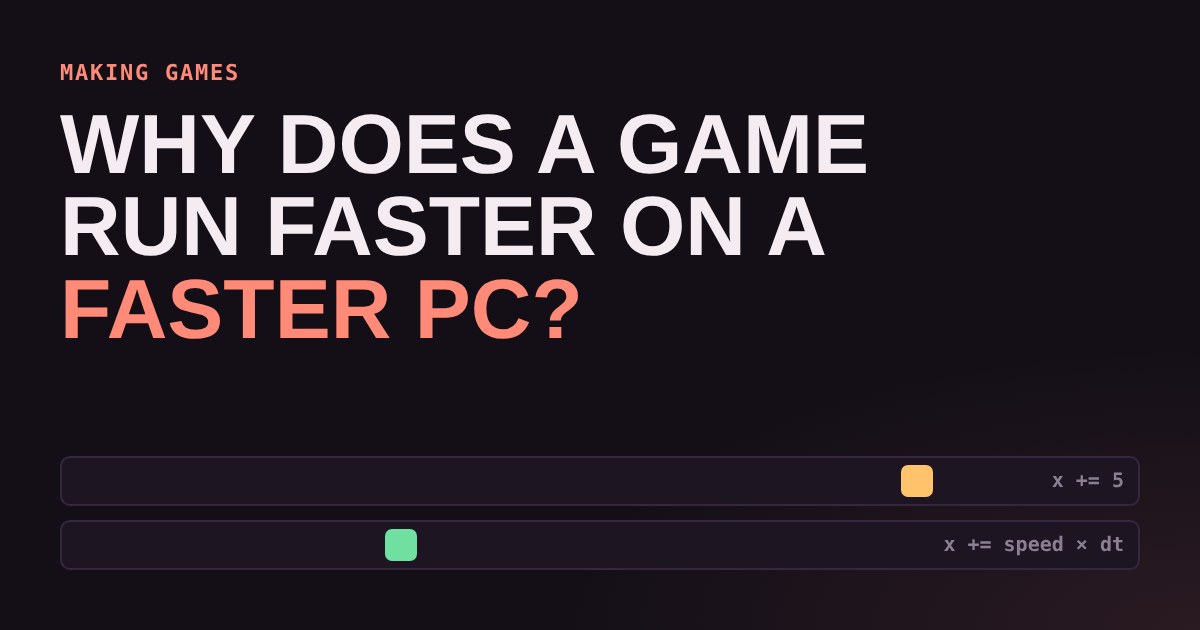
You build a tiny game. A square slides across the screen, and it feels perfect on your laptop. Then a friend runs it on a gaming PC and the square zips about twice as fast. Nothing is broken. You just ran into one of the first lessons in making games: how you move things matters as much as how fast you move them.
What a game loop does
Every game runs a game loop: a cycle that repeats as fast as the computer allows. Each lap does three jobs: read the player's input, update the world (move things, check hits), and draw a new picture. One lap is one frame. A game that draws 60 frames per second runs this loop 60 times every second.
The update step is where the trouble hides. The obvious way to move a square is to add a fixed amount each frame, for example "move 5 pixels to the right". That works until the number of frames per second changes.
The frame-locked trap
If you move 5 pixels per frame, then at 60 frames per second the square travels 300 pixels every second. At 120 frames per second it travels 600. At 30 frames per second it only manages 150. The game's speed is tied to the speed of the machine, and that is exactly what you do not want. Old games on early consoles and PCs often behaved this way, because every player had the same hardware.
Today players have phones, handhelds, budget laptops and fast gaming PCs, and even one machine's frame rate wobbles from moment to moment. Your game needs to play the same on all of them.
Delta time: measure, don't assume
Delta time (often written dt) is the time that passed since the previous frame, measured in seconds. At 60 frames per second it is about 0.0167 seconds, roughly 16.7 milliseconds. At 30 frames per second it is about 0.033 seconds.
Instead of "move 5 pixels per frame", you say "move at 300 pixels per second", and each frame you move speed × dt. A slow frame has a big dt, so the square takes a bigger step. A fast frame has a small dt, so it takes a smaller step. Over one second both add up to the same distance.
// frame-locked: speed depends on frame rate
x += 5;

// delta time: speed is the same everywhere
x += 300 * dt;   // 300 pixels per second
Try it below. Both squares are set to travel the same distance per second at 60 frames per second. Drag the slider to change the frame rate and watch which one stays honest.
At 60 frames per second the two squares move together. Push the slider up to 240 and the frame-locked square races away, four times too fast. Drop it to 30 and it crawls at half speed. The delta-time square never changes pace. What changes at a low frame rate is smoothness: the square moves in fewer, bigger hops, but it still arrives at the same place at the same time.
Things delta time does not fix
Delta time is the right starting point, but a few traps remain.
Very long frames. If the game freezes for a second while loading something, dt becomes 1.0 and your square leaps a full second of movement in one step. It could jump straight through a wall. Many games clamp dt to a maximum such as 0.05 seconds so one hiccup cannot cause chaos.
Physics and collisions. Jumping, gravity and bouncing give slightly different results with different step sizes. Bigger steps mean rougher results. Many engines therefore run physics on a fixed timestep, for example 50 or 60 updates per second, however fast the screen draws. Drawing then happens separately at whatever speed the screen can manage. Unity, for instance, has a separate fixed update for physics, and Godot runs its physics step at a fixed rate too.
Things that should not scale. Some effects, like a pause menu, run on real time instead of game time. Slow motion works by multiplying dt by a number smaller than 1.
Where your engine helps
You rarely have to measure time yourself. Game engines hand you dt in their update functions: Godot gives you delta in _process and _physics_process, and Unity gives you Time.deltaTime. Your job is to remember to multiply by it. The most common beginner bug is a character that moves fine on your computer and too fast or too slow on someone else's, and a missing × delta is almost always the reason.
Try it yourself
Make a square move across the screen in the engine of your choice. First do it with a fixed amount per frame, then change the game's frame rate limit and watch the speed change. Now switch to speed × delta and repeat. Seeing the bug with your own eyes is the quickest way to remember the fix. If you are brand new to code, our sister site new2coding.com has gentle first projects to start from.
More in Making Games
all Making Games →16 Oct What is game juice? Screen shake, hit-stop and why hits feel good Two games can have identical rules and still feel completely different. The difference is often juice: small effects like screen shake… Making Games
14 Oct How are 2D game levels built? Tilemaps explained Most 2D game levels are not big pictures. They are a grid of numbers that points at a small set of repeating tiles. That is called a… Making Games
12 Oct How does a game camera follow you? Smoothing, dead zones and look-ahead Every game has a camera, and how it follows you changes how the game feels. Learn the four common types: locked, smooth, dead zone and… Making Games
10 Oct How does a game remember your progress? Save files explained How does a game remember where you stopped? It writes a small file of facts, called the game state, and reads it back when you load. Try a… Making Games
7 Oct How does a 2D character walk? Sprite sheets and animation speed Every 2D game character walks the same way a flipbook does: a few drawings shown one after another. Games pack those drawings into a single… Making Games
5 Oct How does a game enemy decide what to do? State machines for beginners Ever wondered how a game guard knows when to chase you? Most enemies run on a state machine: they are always in exactly one state, like…