How does a game remember your progress? Save files explained
How does a game remember where you stopped? It writes a small file of facts, called the game state, and reads it back when you load.
Try a tiny game with a readable save file: save, wander off, load, and even damage the file to see why games keep backups, version numbers and checkpoints.
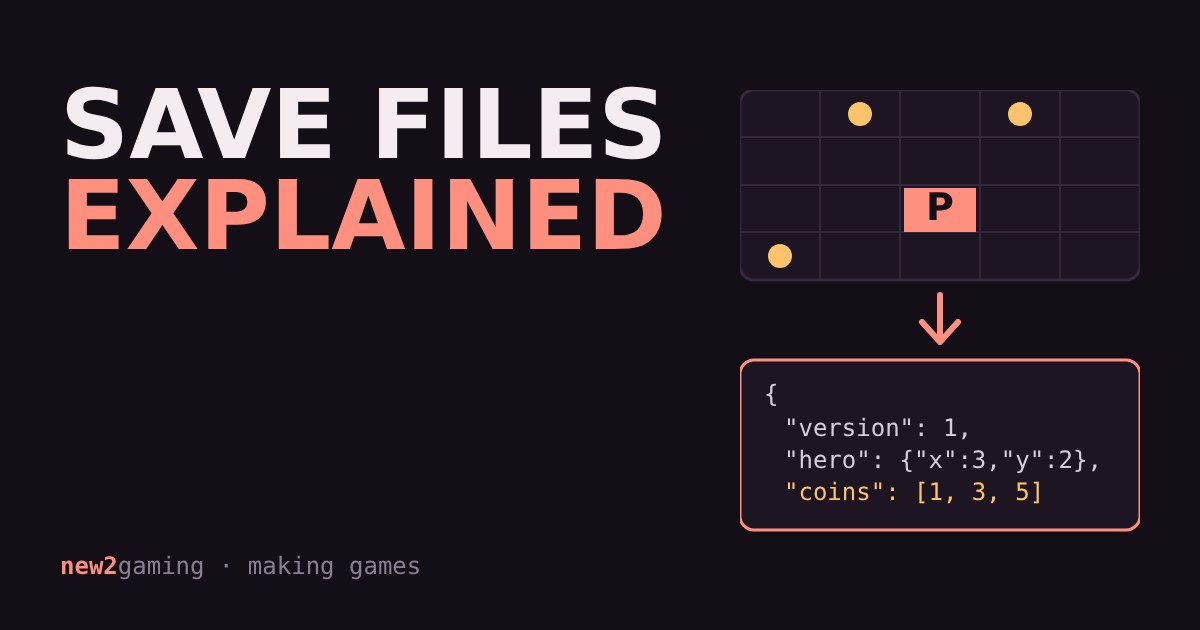
You play for two hours, quit, and come back tomorrow. Your character is exactly where you left them, with the same gear and the same score. The game didn't remember any of that by magic. It wrote a small file, and read it back.
A save file is just a list of facts
When a game saves, it picks out the facts it needs to rebuild your session and writes them down. Where is the player? How much health is left? Which chests are already open? Which quests are done? This collection of facts is called the game state.
The save does not store a picture of the screen, and it does not store the game itself. The graphics, music and rules already live in the game's install files. The save only holds what is different about your playthrough, which is why a save file is often tiny compared with the game.
Try it: save, wander off, load
Below is a miniature game. Move the hero and grab the coins. Press Save to write the current state into the save file shown underneath, keep playing, then press Load to jump back. Then try Damage the file and load again.
What a game does when you press Load
Loading is the same trip in reverse. The game starts as if it were a new game, reads the file, then overwrites the starting values with the saved ones: put the hero here, mark these coins as taken, set the counter to this number. If you tried Damage the file above, you saw the other half of the story. A game can only rebuild your session if the file is complete and in the shape it expects.
Why saves sometimes go wrong
A save file is written to storage, and anything can interrupt that: a crash, a power cut, a full drive. If the write stops half way, you get a file like the damaged one above. Careful games protect against this in a few simple ways:
Backups. The game keeps the previous save next to the new one, so one bad write doesn't destroy everything. Check values. The file includes a small number calculated from its contents, so the game can tell it has been cut off or changed. Version numbers. Notice "version": 1 in the file. When a game update changes what it stores, the version tells the game how to read older saves instead of rejecting them.
Autosave, checkpoints and manual saves
Games choose when to write the file. A manual save happens when you ask for it, so you can keep several slots. An autosave happens in the background, for example when you enter a new area. A checkpoint is a fixed point in the level where the game saves for you, which keeps the design simple but means you may replay a stretch after a failure.
Each choice is a trade-off. Saving anywhere gives players freedom but needs the game to describe its whole world at any moment. Saving only at checkpoints is easier to build and to keep reliable.
Where the file lives, and cloud saves
Most saves sit on the device that ran the game: the console's storage, or a folder on your PC. Many platforms can also copy saves to an online account, so a second device can pick up where you left off. This depends on the game and the platform's settings, so if you care about a long playthrough, check that your game supports cloud saves and that the option is switched on before you need it.
If you want to make your own game
Saving is one of the first systems worth adding, and the lesson from the demo is the practical one: decide which few facts describe a session, write only those, and add a version number from day one. Start with one slot and one piece of state, such as the player's position, and grow from there.
More in Making Games
all Making Games →18 Oct Why does a game run faster on a faster PC? Game loop and delta time explained Ever noticed a game run faster on a quicker computer? That's the game loop at work. If you move things a fixed amount every frame, a faster… Making Games
16 Oct What is game juice? Screen shake, hit-stop and why hits feel good Two games can have identical rules and still feel completely different. The difference is often juice: small effects like screen shake… Making Games
14 Oct How are 2D game levels built? Tilemaps explained Most 2D game levels are not big pictures. They are a grid of numbers that points at a small set of repeating tiles. That is called a… Making Games
12 Oct How does a game camera follow you? Smoothing, dead zones and look-ahead Every game has a camera, and how it follows you changes how the game feels. Learn the four common types: locked, smooth, dead zone and… Making Games
7 Oct How does a 2D character walk? Sprite sheets and animation speed Every 2D game character walks the same way a flipbook does: a few drawings shown one after another. Games pack those drawings into a single… Making Games
5 Oct How does a game enemy decide what to do? State machines for beginners Ever wondered how a game guard knows when to chase you? Most enemies run on a state machine: they are always in exactly one state, like…