How does a game enemy decide what to do? State machines for beginners
Ever wondered how a game guard knows when to chase you? Most enemies run on a state machine: they are always in exactly one state, like patrol, chase or attack, and a few simple rules decide when to switch.
Drag the player around the demo, change the chase and give-up distances, and see why two different distances stop the guard from flickering. Then sketch your own enemy with three states.
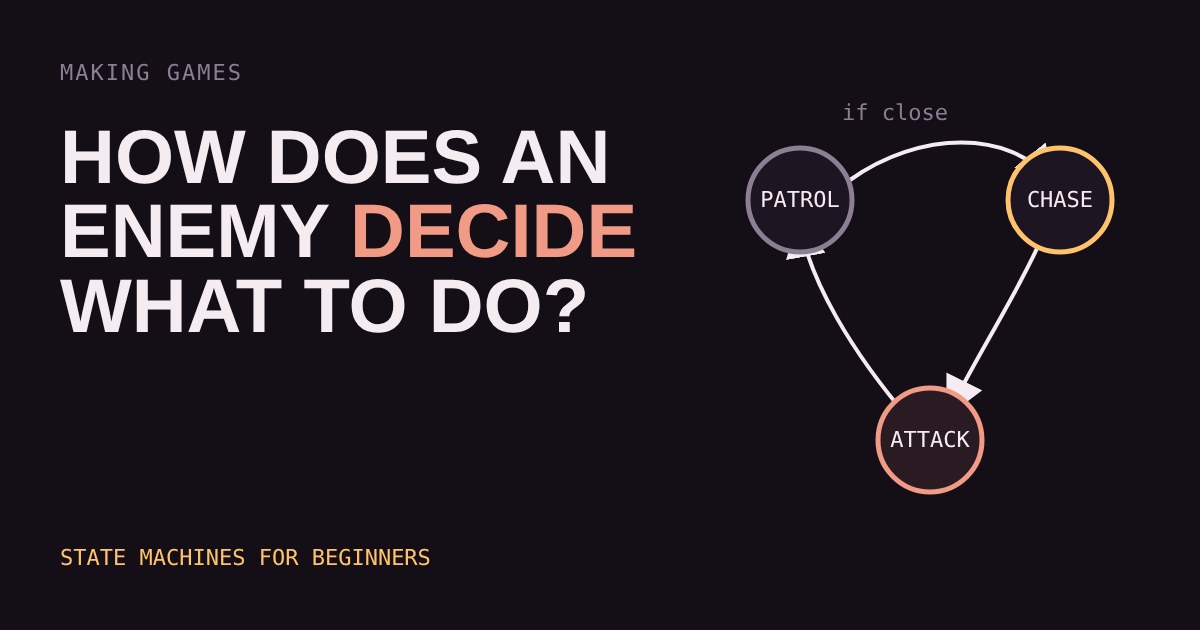
You walk into a room and a guard stands still. You step closer and he turns, shouts, and runs at you. You hide and he wanders back to his post. It feels alive, but the code behind it is usually small and simple: a state machine.
One thing at a time
A state machine says an enemy is always in exactly one state, such as Patrol, Chase or Attack. Each state has its own little job. In Patrol the guard walks between two points. In Chase he moves toward you. In Attack he swings his sword.
The enemy does not think about everything at once. It only asks one question: "Is it time to leave this state?" That keeps the code easy to read and easy to fix.
Transitions: the rules for switching
A transition is a rule that moves the enemy from one state to another. Each rule is an "if". If the player is closer than 120 pixels, go from Patrol to Chase. If the player is closer than 30 pixels, go from Chase to Attack. If the player has been out of sight for a few seconds, go back to Patrol.
Notice that the rules are different for entering and leaving a state. That gap is deliberate, and you can try it below.
Why two distances beat one
Try setting both sliders to the same number and hover the player right on the ring edge. The guard flips between Chase and Patrol again and again. This is called flickering, and it is the classic beginner bug. The fix is to make it harder to leave a state than to enter it. Game makers call that gap hysteresis. A short delay before giving up, like the one in the demo, helps too.
What it looks like in code
Most beginner projects write a state machine in a few lines. A variable holds the current state, and each frame the game runs the code for that state and checks its transitions.
if (state == "patrol") {
  walk_between_points()
  if (distance_to_player < 120) state = "chase"
}
else if (state == "chase") {
  move_toward_player()
  if (distance_to_player < 30)  state = "attack"
  if (distance_to_player > 180) state = "patrol"
}
Engines such as Godot and Unity let you build the same idea with nodes, enums or visual graphs, but the logic is the same.
Sketch before you code
Before writing anything, draw circles for states and arrows for transitions on paper. For every circle ask two questions: how do I get in, and how do I get out? A state with no way out is a bug waiting to happen. A state with five exits probably needs splitting in two.
Start with three states. Once Patrol, Chase and Attack feel right, add one more, such as Flee at low health. Each new state should earn its place by changing how the enemy plays.
Where state machines run out
State machines work well for small sets of behaviours. When an enemy has dozens of states the arrows turn into spaghetti, and developers often move to other approaches such as behaviour trees. You do not need those for a first game. Three states and a few clear rules already make an enemy that feels like it is paying attention.
More in Making Games
all Making Games →18 Oct Why does a game run faster on a faster PC? Game loop and delta time explained Ever noticed a game run faster on a quicker computer? That's the game loop at work. If you move things a fixed amount every frame, a faster… Making Games
16 Oct What is game juice? Screen shake, hit-stop and why hits feel good Two games can have identical rules and still feel completely different. The difference is often juice: small effects like screen shake… Making Games
14 Oct How are 2D game levels built? Tilemaps explained Most 2D game levels are not big pictures. They are a grid of numbers that points at a small set of repeating tiles. That is called a… Making Games
12 Oct How does a game camera follow you? Smoothing, dead zones and look-ahead Every game has a camera, and how it follows you changes how the game feels. Learn the four common types: locked, smooth, dead zone and… Making Games
10 Oct How does a game remember your progress? Save files explained How does a game remember where you stopped? It writes a small file of facts, called the game state, and reads it back when you load. Try a… Making Games
7 Oct How does a 2D character walk? Sprite sheets and animation speed Every 2D game character walks the same way a flipbook does: a few drawings shown one after another. Games pack those drawings into a single…