How does a game know two things touched? Collision boxes, circles and bullets that pass through walls
How does a game know that two things touched? It doesn't look at the artwork. Every object gets a simple invisible shape, and the game compares those shapes with a few quick checks.
Drag boxes and circles to see the checks work, then fire a fast bullet and watch it tunnel straight through a wall. Learn why it happens and the three ways makers fix it.
Two things in a game touch, and something happens: a coin is collected, a spike hurts, a wall stops you. Behind every one of those moments is a tiny yes-or-no question the game asks many times a second: are these two shapes overlapping right now? This is called collision detection, and if you want to make games, it is one of the first systems you will meet.
The game doesn't see pictures
Your character might look like a detailed knight, but the game does not check the artwork pixel by pixel. That would be slow and messy. Instead every object gets a simple invisible shape, often called a collider or hitbox, and the game only compares those shapes. A knight with a cape and a sword becomes one plain rectangle. A ball becomes a circle.
Simple shapes are fast to check, and fast matters. A busy scene can ask the overlap question thousands of times every frame, and a frame lasts about 16 milliseconds at 60 FPS.
Boxes: four comparisons
The most common shape is an upright rectangle that never rotates, known as an AABB (axis-aligned bounding box). Two of them overlap only when they overlap on both the left-right axis and the up-down axis. On one axis that means:
- the left edge of A is left of the right edge of B, and
- the right edge of A is right of the left edge of B.
Do the same for the vertical axis and you have four comparisons. If all four are true, the boxes touch. If even one is false, there is a gap, and you can stop checking. Try it in the demo below.
Circles: one distance
Circles are even simpler. Measure the distance between the two centres. If it is smaller than the two radii added together, they overlap. Circles are popular for balls, bullets and "close enough" checks such as an enemy noticing you, because they treat every direction the same and never get caught on a corner.
Why fast things pass through walls
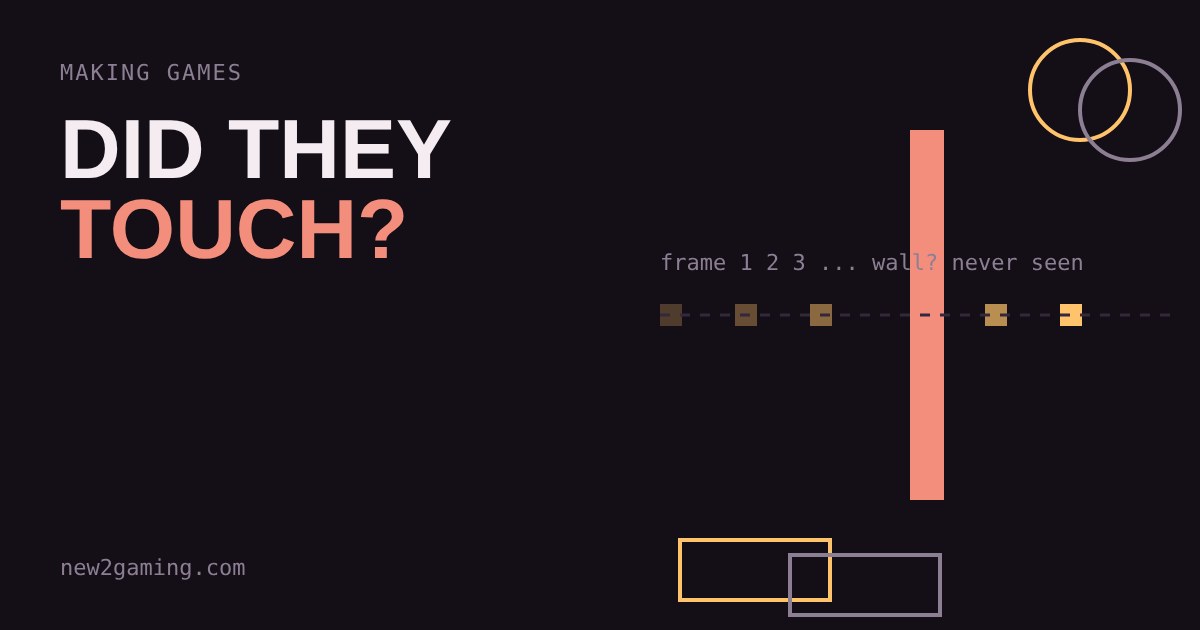
Here is the catch. A game does not move things smoothly. It moves them in steps, one per frame, and checks for overlap only at the end of each step. If a bullet moves 40 pixels per frame and a wall is only 10 pixels thick, the bullet can be fully on one side of the wall in one frame and fully on the other side in the next. At no checked moment did it overlap, so the game never noticed. This bug is called tunneling.
In the demo, switch to Fast bullet and fire at a low speed: it hits. Raise the speed and fire again: it slips through. Each pale ghost is a frame where the game looked, and none of them touched the wall.
Three ways to stop tunneling
Sweep the movement. Instead of asking "is the bullet inside the wall now?", ask "did the path from where it was to where it is cross the wall?". That is the swept check in the demo. Turn it on and the same fast bullet is caught every time. Engines call this continuous collision detection, and Unity and Godot both let you turn it on for fast objects.
Take smaller steps. Run the physics several times per frame, each step moving the bullet less. It works but costs more processing.
Make things thicker or slower. A thick wall or a speed limit is the cheap fix, and plenty of finished games rely on it.
What to look for in your first game
- Start with boxes. One rectangle per object is enough for a first platformer or shooter, and every engine has them built in.
- Shrink the collider a little. A box slightly smaller than the sprite feels fairer, because players blame the game when a hit happens on empty-looking pixels.
- Know your fastest object. If anything moves further in one frame than the thickness of what it should hit, turn on continuous detection or add a check along its path.
- Let the engine do the maths. Godot, Unity and others already give you collision shapes and overlap events. Learning how they work simply helps you understand the odd bug when it shows up.
More in Making Games
all Making Games →26 Oct How does a game play sound? Pitch, volume and why repeated sounds get annoying Why does a game's footstep sound fake after ten minutes? Because the same file plays at the same pitch and volume every time. Learn what… Making Games
24 Oct Why does a jump feel good? Coyote time and jump buffering explained Ever pressed jump a moment too late and still made it? That is coyote time, and its partner jump buffering catches presses that come a… Making Games
22 Oct What is procedural generation? Seeds and caves explained Procedural generation lets a game build levels from a few rules instead of storing every tile. Here you grow a cave yourself: scatter… Making Games
20 Oct How does an enemy decide what to do? State machines explained How does a game guard seem to think? Usually with a finite state machine: a few states like Patrol, Chase and Search, plus simple rules for… Making Games
18 Oct Why does a game run faster on a faster PC? Game loop and delta time explained Ever noticed a game run faster on a quicker computer? That's the game loop at work. If you move things a fixed amount every frame, a faster… Making Games
16 Oct What is game juice? Screen shake, hit-stop and why hits feel good Two games can have identical rules and still feel completely different. The difference is often juice: small effects like screen shake…