How does an enemy decide what to do? State machines explained
How does a game guard seem to think? Usually with a finite state machine: a few states like Patrol, Chase and Search, plus simple rules for switching between them.
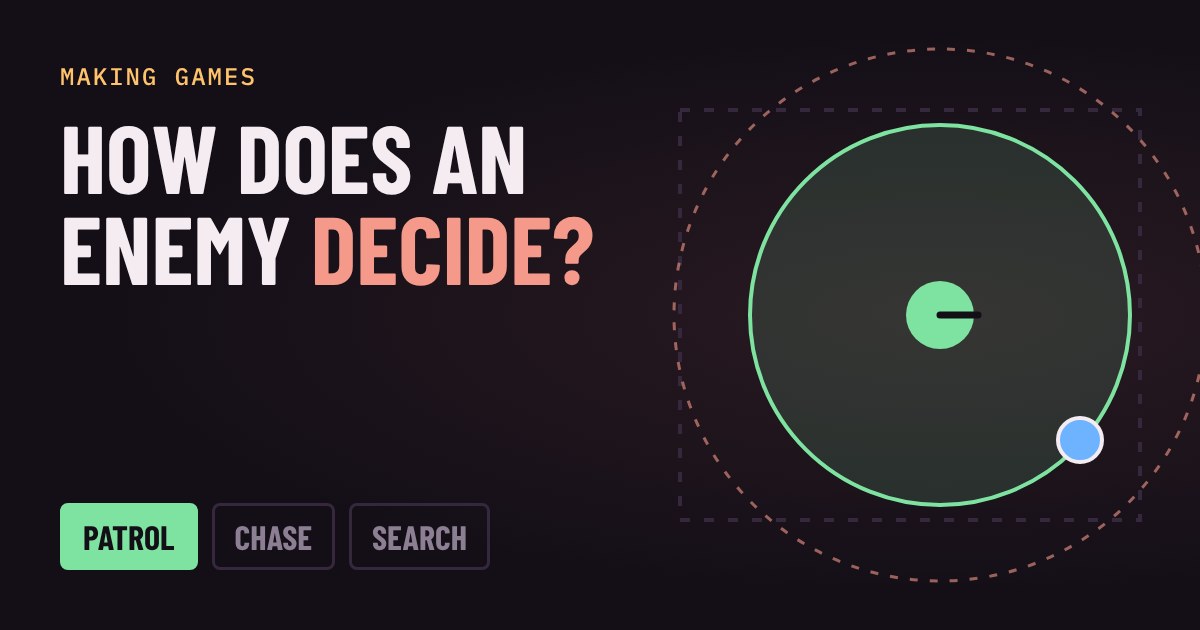
Play with a live guard, change how far he can see, and watch the state change as you sneak past. Then see why states beat a pile of true/false flags, how a small buffer stops twitching, and how to build your first one.
The guard that seems to think
You sneak past a guard in a game. He walks his route, spots you, runs after you, loses you, checks the last place he saw you, then shrugs and goes back to his route. It feels like he is thinking. He is not. He is following a very small, very old idea called a finite state machine, and you can build one in an afternoon.
What a state machine is
A state machine has two ingredients. States are the things the character can be doing: Patrol, Chase, Search. Transitions are the rules for switching: "if the player is inside my sight range, go from Patrol to Chase". The key rule is that the character is in exactly one state at a time, and only the code for that state runs.
"Finite" just means the list of states is short and fixed. You can draw the whole thing on a napkin: three boxes and a few arrows. That is a feature. If you can draw it, you can understand it, test it and fix it.
Why not just a pile of ifs?
Beginners often start with a handful of true/false flags: seesPlayer, heardNoise, isLookingAround, isReturning. It works for a day. Then you add a fourth behaviour and the flags start to fight: what should happen when he is looking around and hears a noise and sees you? Every new flag doubles the number of combinations you have to think about.
A state machine removes that. The guard is never "a bit chasing and a bit searching". He is in one state, and each state only needs to answer two questions: what do I do every frame, and what makes me leave?
A state machine in a few lines
Here is the heart of the demo above, simplified. The game calls this once per frame, which is the game loop doing its job:
if (state == "patrol") {
  walkToNextWaypoint()
  if (distanceToPlayer < sightRange) state = "chase"
}
else if (state == "chase") {
  moveToward(player)
  if (distanceToPlayer > sightRange * 1.4) state = "search"
}
else if (state == "search") {
  goToLastSeenSpot()
  if (distanceToPlayer < sightRange) state = "chase"
  else if (waitedLongEnough) state = "patrol"
}
Look at the chase rule. The guard starts chasing when you are inside the sight range, but only gives up when you are 1.4 times that far away. That gap is deliberate. If both rules used the same distance, a player standing right on the edge would flip the guard between Chase and Search every frame, and he would twitch. A small buffer like this is a common fix, and you can see it in the dashed outer circle in the demo.
Where you will see state machines
Enemy behaviour is the classic use. The ghosts in Pac-Man switch between modes such as chasing you, scattering to their corners and running away when you eat a power pellet. But state machines are everywhere in games: a player character that is idle, running, jumping or falling; a door that is closed, opening, open or locked; a menu that moves from title screen to settings and back. Many engines include built-in tools for animation state machines, so the idea you just played with is already part of the editor you will probably use.
Try it in your first project
Start with three states and no more. Draw the boxes and arrows on paper first, and write the reason next to every arrow. Only add a new state when you can name a behaviour that is clearly different, such as "flee when health is low". If a state needs a long list of exits, it is probably two states hiding in one.
Then play with the demo again. Shrink the sight range to the minimum and try to sneak past. Raise it to the maximum and see how the Search state gives you a second chance. Every one of those changes is just a number in a rule, and that is how designers tune how smart an enemy feels.
More in Making Games
all Making Games →18 Oct Why does a game run faster on a faster PC? Game loop and delta time explained Ever noticed a game run faster on a quicker computer? That's the game loop at work. If you move things a fixed amount every frame, a faster… Making Games
16 Oct What is game juice? Screen shake, hit-stop and why hits feel good Two games can have identical rules and still feel completely different. The difference is often juice: small effects like screen shake… Making Games
14 Oct How are 2D game levels built? Tilemaps explained Most 2D game levels are not big pictures. They are a grid of numbers that points at a small set of repeating tiles. That is called a… Making Games
12 Oct How does a game camera follow you? Smoothing, dead zones and look-ahead Every game has a camera, and how it follows you changes how the game feels. Learn the four common types: locked, smooth, dead zone and… Making Games
10 Oct How does a game remember your progress? Save files explained How does a game remember where you stopped? It writes a small file of facts, called the game state, and reads it back when you load. Try a… Making Games
7 Oct How does a 2D character walk? Sprite sheets and animation speed Every 2D game character walks the same way a flipbook does: a few drawings shown one after another. Games pack those drawings into a single…