What is safe to share in games? How small details add up to a stranger finding you
One username, one photo or one friendly chat is rarely a problem. The risk comes from small details adding up until a stranger can tell who a child is, where they are and how to reach them.
This guide shows how that happens with a tap-to-build profile, then covers the quiet leaks (usernames, screenshots, voice chat), what a family can agree on, and what to check when setting up an account.
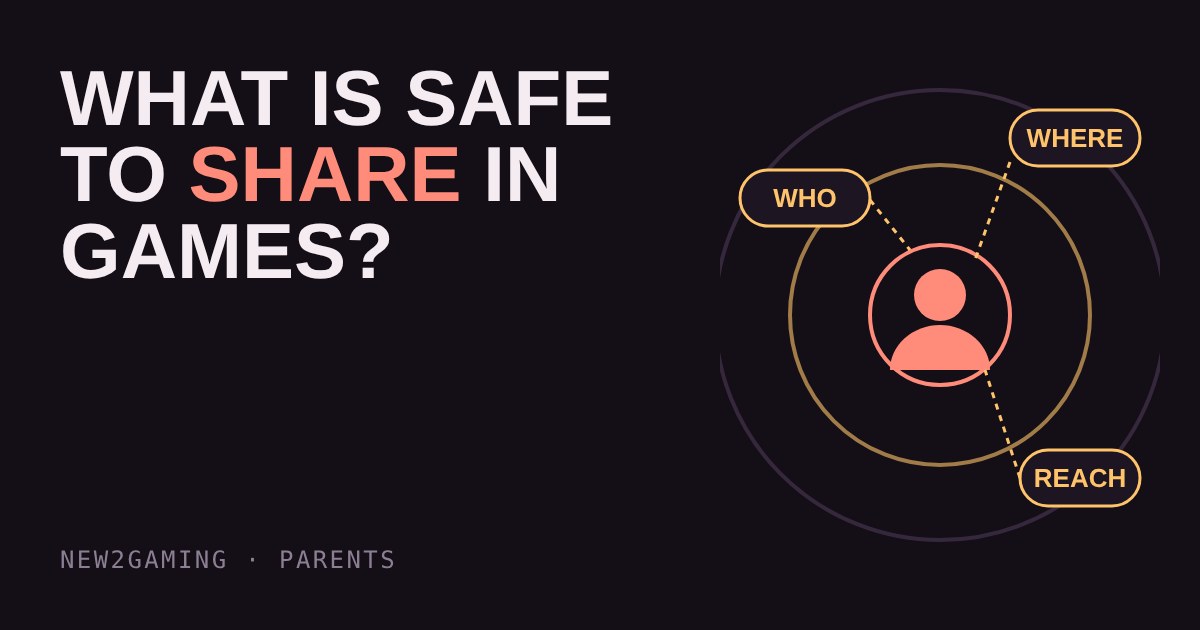
Games feel like a private room, but most of them are not. A username, a profile picture, a voice in a lobby and a few friendly chat messages are all visible to people you have never met. None of it is dangerous on its own. The risk comes from how small facts add up.
One fact is harmless. Three can find a person.
Say a player tells their team they are called Sam. Nobody can do much with that. Later they mention a school football match on Saturday. Then a username shows up on a public profile with the town name in it. Each message was innocent, but together they point to one child, one place and one time.
That is the idea behind this guide. Personal details fall into three groups, and trouble starts when a stranger can fill in more than one of them:
Who is the person: real full name, face photos, exact age or birthday. Where are they: school, street, town, daily routine, a photo with a recognisable background. How to reach them away from the game: phone number, email, other social accounts, or a username they use everywhere.
Try it: build a profile and see what it gives away
Tap the details a player might put on a public profile or say in voice chat. The meter shows which groups a stranger could now piece together.
Where details leak without anyone typing them
Most oversharing is not deliberate. It slips out in places a child does not think of as public.
Usernames and profile pictures
A username built from a real name, a birth year or a town does the work of a profile for anyone who sees it. A username reused on several sites also lets a stranger follow it from a game to a social account. A simple rule: invent a name that says nothing about the person, and make it different from the ones used elsewhere.
Photos and screenshots
A picture can show a school uniform, a street sign or a house number in the background. Photos taken on phones can also carry hidden location data, though many apps strip it when you post. Before sharing a screenshot, look at the whole image, including friend lists and name tags at the edges.
Voice chat and streams
Voice chat is live, so there is no chance to delete a message. A sibling shouting a name, a delivery arriving or a school bell can all be heard. If a child streams or records, check what is visible on screen and what is audible before it goes out.
Friendly questions
Questions such as “which school do you go to?” and “what’s your Snap?” are normal for kids, and most of the time the person asking means nothing by it. A good habit still helps: answer with a general fact, or say “I keep that off games”. A real friend will not mind. Anyone who pushes, offers gifts or asks to move to a private chat is a reason to use the block and report tools and tell an adult.
What a family can agree on
Rules work better when a child understands the reason, so explain the “adds up” idea first. Then agree a few short rules that fit in one breath.
Keep a first name, or none, off public profiles. Use a username that reveals nothing. Never share a school, address, phone number or daily routine with people met only in games. Show a parent anything that feels odd, and promise that telling will not lead to a ban from the game. That last point matters most, because a child who fears losing the console will hide problems.
What to look for
When you set up a game or a console account for a child, check these things:
The display name. Is it separate from the real name on the account? Many platforms let you choose a public name that is different from the name used for billing.
Profile visibility. Look for settings that limit who can see the profile, the friends list and the activity status. Choose friends only, or the strictest option the platform offers.
Who can message or invite. Limit contact to approved friends where the game allows it. The chat settings guide on this site covers this in detail.
Linked accounts. Check which social accounts are connected to the game profile, and unlink the ones that expose a real name or photo.
More in Parents
all Parents →31 Oct Should you play along? A parent's guide to co-playing with your child Playing a game with your child shows you things no rating label can: how the game behaves, how they handle losing, and who they talk to… Parents
29 Oct Why doesn't Roblox have one age rating? Maturity labels for user-made games Roblox isn't one game, it's millions of games made by players, so a single age rating can't describe it. This guide explains how Roblox's… Parents
27 Oct Why is it so hard to stop playing? Streaks, daily rewards and the one-more-match trap Many games are built with no natural place to stop, which is why "ten more minutes" so often turns into an argument. This guide explains… Parents
25 Oct Do gaming breaks matter? Eyes, posture and the 20-20-20 rule for kids Do long gaming sessions strain your child's eyes and back? Screens can leave eyes dry and tired because we blink less while focusing, and a… Parents
23 Oct What do game age ratings mean? PEGI, ESRB and what they leave out An age rating tells you what a game contains, not how hard it is or who you'll meet online. PEGI and ESRB use different age steps, but both… Parents
21 Oct How do you spot a gaming scam? Free skins, fake logins and the four red flags Gaming scams target kids with free currency, fake "account security" emails and strangers who want a login code. They all pull the same…