Why does 60 FPS still feel choppy? Frame time and stutter explained
Your game says 60 FPS but still feels choppy? The counter shows an average. What your eyes notice is frame time, the gap between each picture, and whether those gaps stay even.
Play with a ball on a simulated 60 Hz screen, add hitches, and watch the frame-time graph and "1% low" react. You will see why a steady 40 FPS can feel smoother than a wobbly 90.
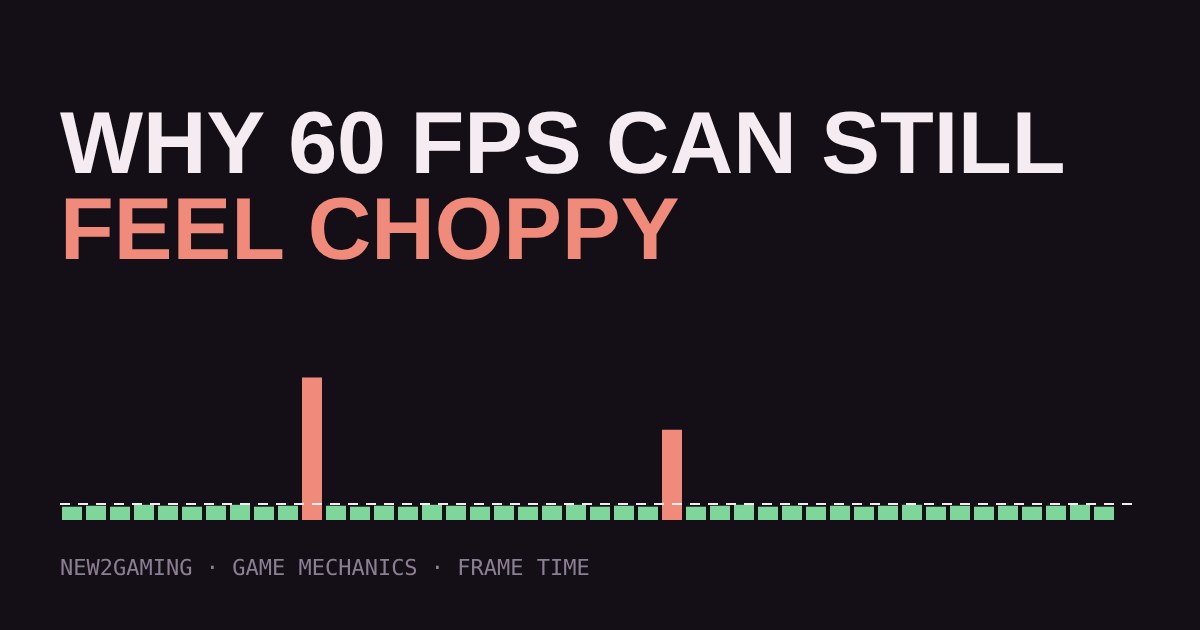
You check the counter and it says 60 FPS. Yet the game feels choppy, like it keeps catching on something. Nothing is wrong with your eyes. The number on the screen is an average, and averages hide the exact moments you can feel.
FPS is a count. Frame time is the story.
Frames per second counts how many pictures your computer finished in one second. Frame time is how long each single picture took, in milliseconds (ms). The two are linked: divide 1000 by the FPS and you get the frame time.
| FPS | Time per frame |
|---|---|
| 30 | 33.3 ms |
| 60 | 16.7 ms |
| 120 | 8.3 ms |
| 144 | 6.9 ms |
Now imagine 59 frames that each take 14 ms, and one frame that takes 180 ms. Over that second the counter still reads about 60 FPS. But for nearly a fifth of a second the picture froze. You feel that freeze as a stutter, even though the average looks perfect.
Why a late frame is so noticeable
Most screens refresh on a fixed beat. A 60 Hz screen redraws every 16.7 ms and shows whatever the newest finished frame is. If your computer is late with a new frame, the screen simply shows the old one again. Moving objects stop for a beat, then jump ahead to catch up. That jump is the stutter.
Evenness matters as much as speed. A steady 40 FPS can look smoother than a game that averages 60 but swings between fast and slow frames, because your eyes are good at spotting uneven motion.
Try it: break the smoothness yourself
The ball below crosses the track at a constant speed. The screen in this demo refreshes 60 times a second, like a typical monitor. Raise the hitches and watch the ball and the graph.
Try the three buttons. "Steady 40 FPS" has a lower average than the other two, yet the ball glides evenly. "Fast but hitchy" averages far higher, but the ball keeps hesitating. That is the gap between a big number and a good feel.
What "1% low" means
Because averages hide hitches, many reviewers also report 1% lows. The idea: take your slowest frames, the worst 1%, and report the frame rate they correspond to. A game can average 100 FPS with 1% lows of 35 FPS. That gap tells you stutter is happening. Different tools calculate it slightly differently, so compare numbers from the same tool rather than across tools.
What causes uneven frames
A few common causes, roughly from most to least likely:
The game is asking too much of your graphics card or processor, for example in a crowded scene or during an explosion. Lowering demanding settings usually helps. Not enough graphics memory forces the game to swap data in and out mid-play, which causes sudden spikes. Loading and shader compiling can cause brief freezes the first time you see a new effect or area. Background programs such as downloads, browsers or recording software compete for the same hardware.
What helps
Start with the cheap fixes. Lower the one or two heaviest settings instead of everything. Close background programs. Install on an SSD if you have the choice. Keep your graphics driver reasonably current.
Then consider your screen. Monitors and TVs with variable refresh rate (called G-SYNC, FreeSync or Adaptive-Sync on PC, and simply VRR on many consoles and TVs) let the screen wait for each frame instead of running on a fixed beat. Uneven frames then look far less jarring, though a very long hitch is still a hitch. If you are unsure how this differs from V-Sync, our guide on V-Sync explains it in plain words.
Finally, you can cap your frame rate a little below what your hardware can sustain. A steady 60 that your computer holds easily is usually nicer than an uncapped 90 that wobbles between 60 and 120.
The takeaway
When a game feels choppy, look past the average. Ask whether the frames arrive evenly. Reviews that show frame-time graphs or 1% lows tell you much more than one big number, and a steady frame rate you can hold beats a high one you cannot.
More in Game Mechanics
all Game Mechanics →19 Oct What is a hitbox? Why some shots miss even when they look good Every character in a game has an invisible shape that decides whether a shot lands, and it is much simpler than the model you see. This… Game Mechanics
17 Oct What is rubber banding? Why racing game opponents always catch up Ever pulled far ahead in a racing game, only to find the computer cars right behind you a moment later? That is rubber banding: a hidden… Game Mechanics
15 Oct Is the loot drop rigged? RNG, drop rates and pity timers explained Ever gone ten drops in a row without the item you wanted? It feels rigged, but it is usually just random chance doing what it does. This… Game Mechanics
13 Oct What is aim assist? How games help controller players aim Aim assist is the small, hidden help that shooters give controller players: the crosshair slows down near an enemy, and the view quietly… Game Mechanics
11 Oct Delay or rollback? How online games hide lag: netcode explained Online games have to keep two computers in agreement while messages take time to travel. Delay-based netcode waits for both players'… Game Mechanics
7 Oct What is tick rate? Why some game servers feel sharper than others Online games run on a server that does not watch the match like a film. It works in steps called ticks, and the tick rate is how many steps…