Delay or rollback? How online games hide lag: netcode explained
Online games have to keep two computers in agreement while messages take time to travel. Delay-based netcode waits for both players' inputs, so everything stays in sync but your controls feel late. Rollback netcode runs your presses instantly, guesses the other player, and rewinds and replays when the guess was wrong.
Use the interactive to change your ping and see how long a press waits, and how big a correction gets.
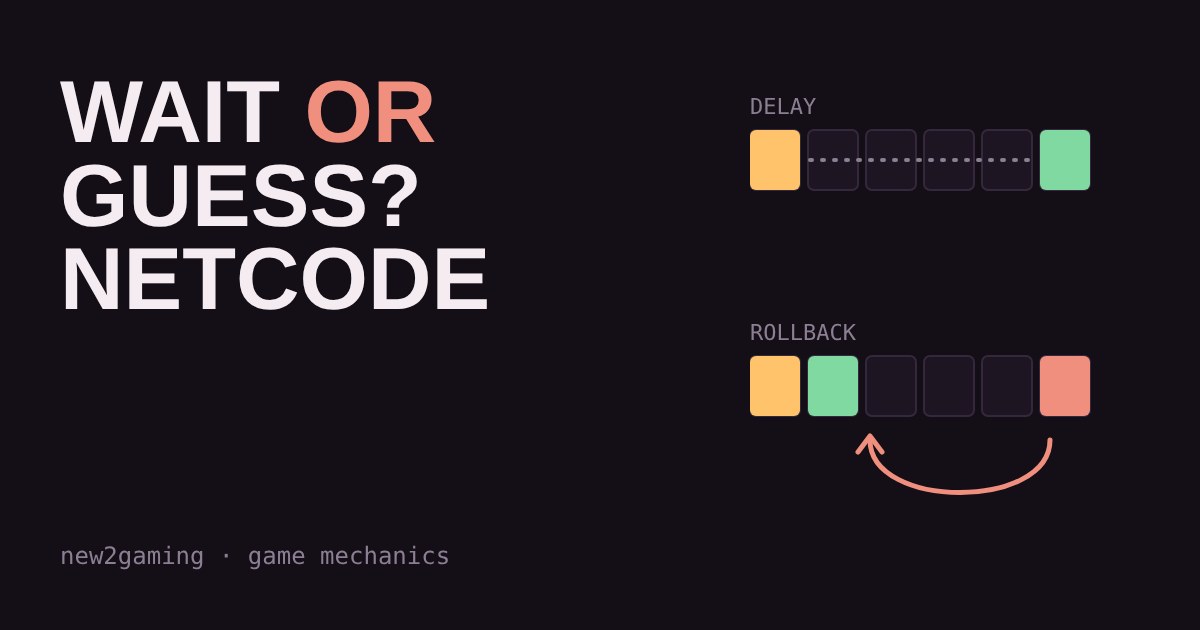
You press punch. Your character does not punch. Or it does, but the other player jumps across the screen like a video skipping. Both problems come from the same place: online games have to keep two computers in agreement while a message takes time to travel between them. How a game handles that wait is called its netcode.
The problem: the other player is in the past
Your ping is the round trip, there and back. A message from the other player only takes half of it, so at 80 ms ping their button press reaches you about 40 ms after they made it. A game running at 60 frames per second draws a new frame every 16.7 ms, so that is already more than two frames old when it arrives.
The game cannot send you the future. It has to pick between two honest options: wait for the news, or guess and fix it later. Those two options are the two famous kinds of netcode.
Delay-based netcode: wait for everyone
With delay-based netcode, the game will not run a frame until it has the inputs from both players. To hide the wait, it holds your own button presses back for a few frames, so your press and the other player's press line up. Everyone sees the same thing at the same time, and nothing needs correcting.
The cost is that your controls feel heavier as ping goes up, because the delay is built into every press. If the connection stumbles and the inputs do not arrive in time, the game simply stops and waits, which you feel as a freeze.
Rollback netcode: guess, then fix
With rollback netcode, your own presses happen straight away, like offline. For the other player, the game predicts: usually it assumes they are still doing what they did on the previous frame. When their real input arrives, one of two things happens. If the guess was right, nothing changes on screen. If it was wrong, the game rewinds to the frame where the guess went wrong, applies the real input, and quickly replays everything up to now. That is the “rollback”.
The cost is visible jumps. The higher the ping, the further back the game has to rewind, so the correction is bigger and you have less time to react to it. Rollback also needs the game to save and restore its whole state many times a second, which is hard to add to a game that was not built for it. Many fighting games use it, often with a small fixed input delay mixed in.
Try it: press a button at different pings
Drag the ping, then press the buttons. Each square is one frame at 60 FPS. The demo assumes the trip is the same speed both ways, so one-way time is half your ping.
At low ping the two feel close. As ping climbs, delay-based netcode makes everything you do a little late, while rollback keeps your controls instant and pays with occasional jumps in the other player's movement.
Which one should you want?
For fast one-on-one games such as fighting games, many players prefer rollback, because instant controls matter more than the odd correction. For slower games, or games with many players, the simpler approach of waiting can be fine. Many other online games use a different design again: a central server decides what is true, and each player's screen is a slightly delayed picture of it.
You cannot always choose, since the developer picked the netcode. But you can improve what you control. A wired connection beats Wi-Fi because it keeps ping steady, and steady ping matters more than low ping for both methods: delay-based games freeze when it spikes, and rollback games jump more.
What to remember
Delay-based: wait for both players, every press a bit late, freezes if the connection stumbles. Rollback: act now, guess the other player, rewind and replay when wrong. Neither removes lag; they only choose where you feel it.
More in Game Mechanics
all Game Mechanics →19 Oct What is a hitbox? Why some shots miss even when they look good Every character in a game has an invisible shape that decides whether a shot lands, and it is much simpler than the model you see. This… Game Mechanics
17 Oct What is rubber banding? Why racing game opponents always catch up Ever pulled far ahead in a racing game, only to find the computer cars right behind you a moment later? That is rubber banding: a hidden… Game Mechanics
15 Oct Is the loot drop rigged? RNG, drop rates and pity timers explained Ever gone ten drops in a row without the item you wanted? It feels rigged, but it is usually just random chance doing what it does. This… Game Mechanics
13 Oct What is aim assist? How games help controller players aim Aim assist is the small, hidden help that shooters give controller players: the crosshair slows down near an enemy, and the view quietly… Game Mechanics
9 Oct Why does 60 FPS still feel choppy? Frame time and stutter explained Your game says 60 FPS but still feels choppy? The counter shows an average. What your eyes notice is frame time, the gap between each… Game Mechanics
7 Oct What is tick rate? Why some game servers feel sharper than others Online games run on a server that does not watch the match like a film. It works in steps called ticks, and the tick rate is how many steps…