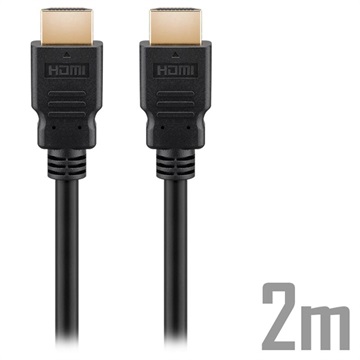
You bought a console, a shiny 4K TV and a game that promises 120 frames per second. Then the settings menu greys out the 120 Hz option. Often the culprit is neither the console nor the TV. It is the cheap-looking cable between them.
A cable is a pipe with a size
An HDMI cable carries a picture as a stream of numbers: every pixel, in every frame, in every second. More pixels, more frames, or richer colour (HDR uses 10 bits per colour instead of 8) all mean more data per second. The cable has a ceiling, measured in gigabits per second (Gbps). If the picture needs more than the cable can carry, something has to give: the console drops the refresh rate, lowers the colour detail, or shows no picture at all.
Try it below. Pick what you want to play, and watch it fill the pipes. The numbers are estimates for an uncompressed picture, but they are close enough to show where the lines fall.
The four labels you will see
HDMI cables are sorted into official classes. The names sound alike, which is the whole problem:
| Class | Certified to | Good for |
|---|
| High Speed | 10.2 Gbps | 1080p, some 4K at 30 Hz |
| Premium High Speed | 18 Gbps | 4K at 60 Hz with HDR |
| Ultra High Speed | 48 Gbps | 4K at 120 Hz, 8K at 60 Hz |
Notice what is not on this list: "HDMI 2.1 cable". HDMI 2.1 is a version of the standard that ports and devices use. Cables are rated by the class above. Many shops call an Ultra High Speed cable an "HDMI 2.1 cable" and that is fine, but the class is the thing to check.
Do you actually need to buy one?
Often not. The PS5 comes with an Ultra High Speed cable in the box, and Xbox Series X ships with one too. Use that one first. The Nintendo Switch 2 is a different case: docked it outputs up to 4K at 60 fps, and 120 fps only at 1080p or 1440p, so it never asks for the full 48 Gbps. Try the presets above to see why.
You usually need a new cable when the box cable is too short, when it has gone missing, or when you are running the picture through a soundbar or an AV receiver. Every device in the chain must handle the signal, and so must the cable between each pair.
The cable is only one of three links. The console must support the mode, the TV port must support it too (on many TVs only one or two HDMI ports carry 4K at 120 Hz, so check the port label or manual), and you must switch it on in the console's video settings. A great cable cannot fix a TV that tops out at 60 Hz.
Why certification matters
A cable that merely says "8K" on the packet may not have been tested at all. Certified Ultra High Speed cables carry an official label with a QR code that you can scan to check the product. Certification is per model and length, so a long cable is not automatically as good as the short one in the same range.
Length matters because high speeds are demanding. Plain copper cables are most reliable over short runs, and for a long run behind a wall or across a room an active optical cable is a safer choice. Optical cables are often directional: one end must go to the console and the other to the TV, and they are marked for this. Plug them in backwards and you get a black screen.
What to look for
Under a tenner or so: a certified Ultra High Speed cable of 1–2 metres is all most people need. Look for the 48 Gbps class and the official label, not the word "8K" alone.
Mid price (around €20–30): a well-known brand, solid connectors, and a length that fits your setup without pulling on the port. This is where a replacement for a lost box cable lives.
For long runs (around €50–70): an active optical cable, with the direction marked clearly. Only worth it when the console and TV are far apart.