How much does in-game currency really cost? Gems, packs and spending limits
Games sell extras with made-up currency, and packs rarely match item prices, so leftovers nudge you to buy more. Try a mock shop to see the effect, then learn which family settings cap spending.
Set limits once, before the first purchase request: monthly caps, approval for purchases and an allowance in place of a saved card. Check what your platform offers, since options change.
Most games sell extras with a made-up currency: gems, coins, V-Bucks-style points. You pay real money for the currency, then spend the currency on items. That extra step is deliberate, and it is the main reason in-game spending is hard to keep an eye on. If your child plays, or you play yourself, it helps to see how the maths works.
Why currency packs never match prices
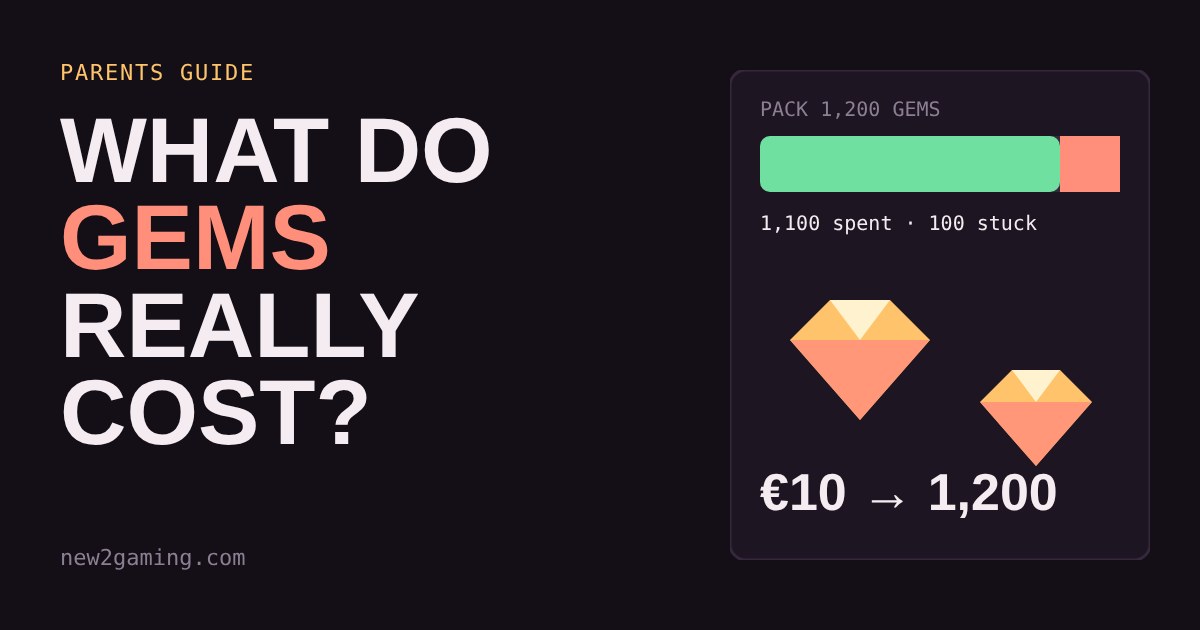
Items usually cost an amount of currency, and currency is sold in a handful of fixed packs. The two rarely line up. If a skin costs 800 gems and the nearest pack holds 1,200, you buy the pack and are left with 400 gems that are too few for anything else. Those leftovers are a nudge to buy another pack, and then another.
Packs also get cheaper per gem as they get bigger. That makes the biggest pack look like the smart choice even when only one small item is wanted. Spending also becomes less real: "800 gems" does not feel like a real amount of money the way a price tag does.
Try it: shop with made-up gems
The shop below is invented, but the pattern is the one you will find in real games. Tap items to put them in your basket. The shop works out the cheapest way to buy enough gems and shows what is left over.
Try the Battle pass (1,100 gems) on its own. No pack matches, so you buy the 1,200 pack and keep 100 gems you cannot use. Now tap a few more items and watch the leftover gems and the price jump around. Small leftovers like these are why many players end up buying “just a bit more”.
Where real games get you
Besides the currency step, a few other patterns are worth knowing. Limited-time items create urgency. Loot boxes and card packs sell a chance of an item rather than the item itself, so the real cost of getting the one you want is unknown in advance. Saved cards make buying one tap. None of this means a game is bad, but it explains why a small habit can add up.
Setting limits that work
The best protection is boring and set up once, before the first purchase request.
Use the family settings on the platform. Console and phone platforms let a parent manage a child's account. On PlayStation, the family app lets parents set a monthly spending limit for the child's store purchases. On Xbox, the Family Settings app has an Ask to Buy option, which sends the parent a request when a child wants to buy something, and lets you review recent spending. Nintendo has its own Parental Controls app. Options and names change, so check what your platform offers today.
Prefer an allowance to a saved card. Adding a fixed amount of store credit each month gives a child a budget they can learn from, and the card stays out of reach. When the money runs out, it is out.
Require approval or a password for purchases. A pause before paying is often enough to stop an impulse buy.
Talk about currencies. Ask your child to convert gems into real money out loud. "That skin costs about as much as a cinema ticket" lands better than "800 gems".
Check the statement. Once a month, look at the purchase history together. It is easier to spot a pattern than to guess one.
What to look for
Before you say yes to a game with a shop, check three things: does it sell a currency or the items directly, are there loot boxes or random packs, and can you cap spending where the purchase happens. If the answer to the last one is no, keep a card off the account and use an allowance instead.
More in Parents
all Parents →19 Oct How much gaming is too much? Build a screen-time plan that fits the day There is no single right number of gaming hours, because what matters is what the gaming pushes out. This guide shows a simple order of… Parents
17 Oct Which parental controls should you switch on first? A setup planner by age Every console has parental controls, but the menus are long and confusing. This guide boils them down to four switches: time, spending… Parents
13 Oct Mute, block or report? Which button to press when a player is a problem Games give you three tools for dealing with unpleasant players: mute, block and report. They do very different jobs, and the right one… Parents
11 Oct How loud is too loud? Headset volume and your child's hearing Loud headset audio can damage hearing slowly and painlessly, and the volume number on a console is not a safe guide. What matters is how… Parents
9 Oct Is this game okay for my child? A five-minute check before you say yes An age rating tells you what is in a game, not what happens around it: who can chat with your child, what the shop pushes, and what keeps… Parents
7 Oct Is that free coins offer real? How to spot gaming scams Gaming scams work because games run on things children want: free coins, rare items and friends. Most follow four patterns: the…