You are building a PC and the parts list has a storage line: hard drive, SATA SSD, NVMe SSD, "Gen4", "Gen5". The prices and the speed numbers on the box are all over the place. Here is what actually matters for games, and what you can safely ignore.
Three kinds of storage
A hard drive (HDD) has spinning platters and a moving read head. It is cheap per gigabyte, but it manages roughly 100–200 MB/s and is slow whenever the game needs many small pieces from different places.
A SATA SSD has no moving parts. It talks to the PC over the same SATA connection hard drives use, which caps it at about 550 MB/s. That is already several times faster than an HDD.
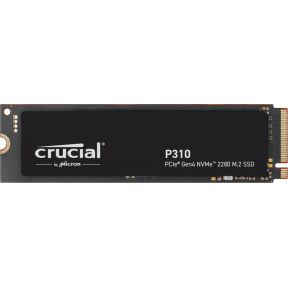
An NVMe SSD is a small stick (usually the M.2 2280 size) that plugs straight into the motherboard and uses PCIe lanes, the same kind of fast link a graphics card uses. Speeds start around 3,000 MB/s and go past 7,000 MB/s for a PCIe 4.0 drive.
Try it: load the same level on every drive
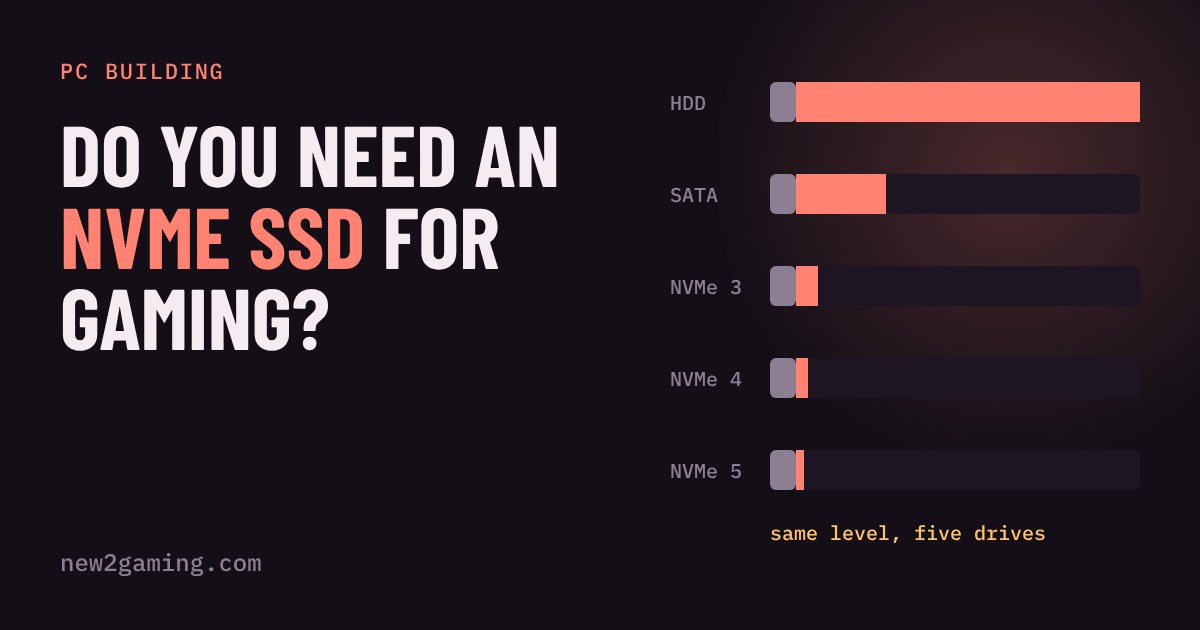
The race below uses simple maths: loading takes some time reading data from the drive, plus some time the CPU spends unpacking and setting things up. Change both sliders, then press the button to watch the race.
What the race shows
Two things stand out. First, the jump from a hard drive to any SSD is huge. If your games are still on a hard drive, that is the upgrade you will feel. Second, the further right you go, the less each step saves. The CPU and setup time does not shrink when the drive gets faster, so it becomes the floor.
That matches what testers have seen. In a PCWorld test of Forspoken, the first game to use Microsoft's DirectStorage, one scene loaded in about 7 seconds from a SATA SSD and about 2 seconds from a Gen4 NVMe. The same article notes that before DirectStorage, SATA SSDs performed essentially like NVMe drives in games. So the NVMe advantage depends on the game, and it is growing slowly as more games are built for fast storage.
PCIe 3, 4 and 5 in plain words
NVMe drives come in "generations" that match the PCIe link they use. Each generation roughly doubles the maximum speed.
| Generation | Top speed (typical) | For games |
|---|
| PCIe 3.0 x4 | ~3,500 MB/s | Plenty |
| PCIe 4.0 x4 | ~7,000 MB/s | The sensible default |
| PCIe 5.0 x4 | 10,000+ MB/s | Rarely worth extra money for gaming |
Gen5 drives also tend to run hotter and cost more. They only make sense if your motherboard supports them and you also move huge files around for work.
How much space do you need?
Speed gets the attention, but space is what runs out first. Big modern games commonly take 50–150 GB each, and Windows plus your apps take a chunk before you install anything. A 500 GB drive fills up quickly. A 1 TB drive holds a handful of big games. A 2 TB drive is comfortable if you like to keep many games installed. SSDs also tend to slow down when they are nearly full, so leave some room free.
Prices change often. As a rough guide, expect something like €150–250 for a 1 TB NVMe drive and €270–400 for 2 TB. A SATA SSD is only worth it in an older PC with no free M.2 slot.
What to look for
First, check your motherboard: you need a free M.2 slot that supports NVMe, and it is worth checking the maximum PCIe generation it offers. Then, by budget:
Budget: a 1 TB PCIe 4.0 NVMe drive from a known maker is enough. Do not pay extra for Gen5 speeds you cannot use.
Sweet spot: 2 TB, so you stop deleting games, from a maker that gives a clear warranty and endurance rating (TBW). Check whether your motherboard already has a heatsink for the M.2 slot.
Step up: look for a drive with its own DRAM cache and a longer endurance rating. They hold their speed better when you copy large files. Gen5 only helps if your board supports it and you work with big files.