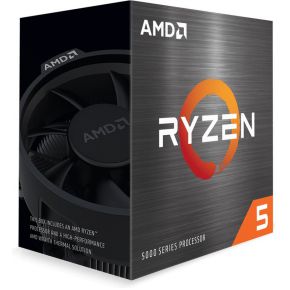
You are picking a processor and every box shouts a number: 6 cores, 8 cores, 16 cores, 24 cores. It is easy to assume more cores means more frames. For games, it is not that simple, and the difference can save you real money.
What a core actually is
A CPU core is one worker that follows instructions one after another. A thread is a line of instructions a core can work on. Most gaming CPUs let each core juggle two threads (called SMT or Hyper-Threading), so "6 cores, 12 threads" is still six workers, just with a bit of extra juggling.
The clock speed, measured in GHz, is how fast each worker moves. The cache is a small, very fast memory built into the chip that keeps the data the game needs most close at hand, so cores spend less time waiting.
Why games can't use every core
Every frame, the game has to read your input, move characters, run the AI and tell the graphics card what to draw. Some of that work can be split between cores. Some of it has to happen in order: the game cannot draw a character before it knows where the character is. That ordered part runs on one core, and no amount of extra cores makes it shorter. Only a faster core does.
That is why a CPU with 6 fast cores often matches one with 16 cores in games. The extra cores sit idle while one busy core sets the pace.
Try it: the frame budget
Pick a type of game, then change the core count and clock speed. The numbers are a simplified model made up for teaching, not benchmarks, but the pattern is how real games behave.
Two things to try. In the competitive shooter, push the cores from 6 to 16 and watch the number barely move, then raise the clock speed and watch it jump. Then switch to the open-world game and drop the cores to 4: now the extra cores matter, until you pass eight.
Streaming, voice chat and background apps
Games are not the only thing your PC runs. If you stream, record, keep a browser with many tabs open or run a voice chat app alongside the game, those jobs take turns on the cores too. Extra cores give them room, so the game keeps its own busy core to itself. This is the best reason to choose 8 cores over 6, and it matters more for players who do several things at once than for someone who only launches a game and plays.
Also remember that "more threads" on the box is not the same as "more cores". A chip with 6 cores and 12 threads is not twice as fast as one with 6 cores and 6 threads. The extra threads fill small gaps and help a little, nothing like adding real cores.
Cache: the quiet extra
Some processors add a large slab of extra cache, which AMD calls 3D V-Cache. Games keep asking for the same bits of data again and again, and a bigger cache lets the cores find them faster. This is why some 8-core chips with a lot of cache beat chips with more cores in games. It helps most in the CPU-heavy cases: simulations, big open worlds and high frame rates at low resolution.
When the CPU doesn't matter much
If your graphics card is already working flat out, a faster CPU can't help, as the sliders show. That is the usual case at 1440p or 4K with demanding graphics settings. The CPU matters most when you want very high frame rates, play at 1080p, or play games that simulate a lot (strategy, city builders, large multiplayer maps).
What to look for
Match the processor to your budget and your graphics card instead of chasing a big core number.
- Entry level: 6 cores is enough for most games. Check the socket, because the chip must fit your motherboard, and an older socket may limit your upgrade path later.
- Mid-range: still 6 to 8 cores, but with higher clock speeds and a newer platform that supports faster memory and future upgrades.
- High end: 8 cores with extra cache. Pay for this only if you play CPU-hungry games or chase very high frame rates with a strong graphics card.
- All budgets: check that the cooler is included or buy one separately, and that your power supply and motherboard support the chip.