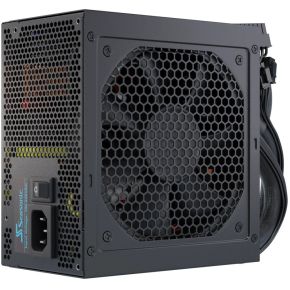
What the wattage number really means
The power supply (PSU) takes the mains socket's power and turns it into the low-voltage power your parts run on. The watts on the box tell you the most it can deliver at once. Think of it as the size of a tank: a bigger tank does not make your PC faster, it just means the PSU is never close to empty.
Your PC does not draw its maximum all the time. Sitting on the desktop it might use well under 100 W. It only climbs when a demanding game pushes the graphics card (GPU) and processor (CPU) hard. The number that matters is the peak: the most your parts draw together while you play.
Add up your parts
The two big drinkers are the GPU and the CPU. Everything else (memory, drives, fans, lights, USB devices) adds a smaller amount. Pick a tier for each below. The wattages are rough, typical gaming peaks, not exact figures for any one product; a maker's spec page lists the real numbers for the part you are looking at.
Try the top-end graphics card with the high-end CPU and slide the PSU down. Around the point where the solid bar fills most of the track you can see why a 550 W unit that was fine for an entry build is not an option here.
Why not just buy the biggest one?
A bigger PSU costs more and, with nothing to power, buys you nothing. But a little extra room is smart for three reasons. First, parts draw their peak only briefly, and graphics cards can spike above their rated power for a split second. Second, a PSU that is working at the top of its range runs hotter and louder. Third, you may upgrade the graphics card later, and a roomier PSU lets you do that without replacing it.
A common rule of thumb is to choose a PSU whose rating is roughly 1.5 times your estimated peak, which keeps you around two-thirds load. Past that you mostly pay for capacity you won't use.
What the 80 Plus badge tells you
A PSU wastes some power as heat while converting it. The 80 Plus programme tests how much, and gives a badge. The badge is about efficiency, not about how many watts the PSU can deliver or how good its build quality is. These are the required efficiencies on 115 V mains at half load:
| Badge | Efficiency at 50% load |
|---|
| 80 Plus | 80% |
| Bronze | 85% |
| Silver | 88% |
| Gold | 90% |
| Platinum | 92% |
| Titanium | 94% |
To see what it means, imagine your parts want 500 W. A Bronze unit pulls about 590 W from the wall, wasting around 90 W as heat. A Gold unit pulls about 555 W and a Titanium unit about 530 W. Going from Bronze to Gold saves around 30 W at that load: a small gain on the power bill, and a bit less heat and fan noise. It is worth paying a little extra for Gold if you play often, but a good Bronze unit from a respected maker beats a poor Gold one.
Connectors and the ATX 3.1 label
Power-hungry graphics cards increasingly use a single 12V-2x6 power connector instead of several older 8-pin ones. If your card uses it, a PSU that includes a native cable for it is easier and neater than using an adapter. Newer units are also labelled ATX 3.0 or ATX 3.1, which means they are built to cope with those short GPU power spikes. For a high-end card, look for ATX 3.1 on the box. For an entry or mid-range card with ordinary 8-pin connectors, it is a nice extra, not a must.
Always check that the PSU has enough of the right cables for your graphics card before you buy, and that it physically fits your case.
What to look for
Entry build: a 450–550 W unit from a known brand, 80 Plus Bronze or better, with the 8-pin cable your card needs.
Mid-range build: around 650–750 W, 80 Plus Gold, ideally modular (cables you can detach) so the case stays tidy.
High-end build: 850 W or more, 80 Plus Gold, ATX 3.1 and a native 12V-2x6 cable, with a long warranty as a sign the maker stands behind it.
At every level, buy from a brand with a track record, check the warranty length, and use the maker's own recommended wattage for your graphics card as a starting point.