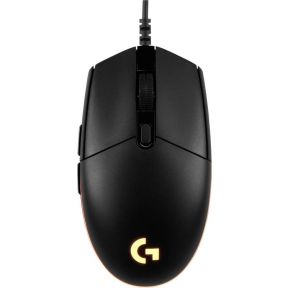
Every gaming mouse box shouts two numbers: DPI and polling rate. Bigger numbers look better, so people assume they are better. They are not that simple. This guide explains what each number measures, plays with them in a small demo, and shows which ones are worth paying for.
DPI: how many steps per inch
DPI means dots per inch. The sensor under the mouse takes tiny pictures of the desk and reports how far it slid, in small steps called counts. A mouse set to 800 DPI sends 800 counts when you slide it one inch (2.54 cm). Set it to 1600 DPI and the same slide sends 1600 counts.
The computer then turns counts into pointer movement. On a desktop, with the usual settings, one count moves the pointer about one pixel. So 800 DPI moves the pointer roughly 800 pixels per inch of hand movement, and 1600 DPI moves it twice as far. In a game, counts become camera rotation instead of pixels, and the game's own sensitivity setting scales them.
That is the main idea: DPI is speed, not quality. A higher setting just makes the pointer travel further for the same hand movement. Two settings that multiply to the same number feel the same: 800 DPI with sensitivity 1.0 feels like 1600 DPI with sensitivity 0.5. Gamers call that product eDPI.
Polling rate: how often it reports
Polling rate is how many times per second the mouse tells the computer what it did. It is measured in hertz (Hz). A basic mouse reports at 1000 Hz, so once every millisecond. A fast one can report at 4000 or 8000 Hz, up to eight times per millisecond.
A higher rate means smaller gaps between updates and a slightly fresher position when a frame is drawn. The benefit is small, and it is easiest to see at very high refresh rates and in fast aiming. Higher rates also make your computer do more work, which can cost a few frames in some games on weaker processors.
Try it
The demo replays one fast flick of the hand: a 1 inch slide that takes a quarter of a second. Change the settings and press replay to see where the pointer lands and how many reports it took to get there.
Things to notice. With 800 DPI and a multiplier of x1, a one inch flick moves the pointer 800 pixels. Push DPI up to 6400 and the same flick overshoots the screen several times over. That is why very high DPI settings are almost always paired with a low sensitivity in the game. Now drop the polling rate to 125 Hz and look at the gap between reports: 8 ms, with a visible step between dots. At 1000 Hz the gap is 1 ms, and at 8000 Hz it is 0.125 ms.
What you should actually do with this
Do not chase the big DPI number. Modern sensors are accurate across their whole range, and most players settle between 400 and 1600 DPI. Pick a DPI you like, then tune the in-game sensitivity so a full mouse-pad swipe turns you around comfortably. A huge maximum DPI mostly looks good on the box.
1000 Hz is plenty to start. Almost every gaming mouse reaches it. Rates of 2000 to 8000 Hz exist and can feel slightly smoother on a fast monitor, but you need a capable computer and a game that runs at high frame rates to notice. If you play at 60 frames per second, you will not.
Weight, shape and the cable matter more. A mouse that fits your hand and glides well will help your aim far more than 20,000 extra DPI. Light mice, around 60 grams, are easier to flick; heavier ones, around 85 grams, feel steadier for some people. Neither is wrong.
What to look for
- Budget: a wired mouse with a decent sensor, 1000 Hz, adjustable DPI steps and a shape you like. Roughly 20 to 30 euros or dollars is a common starting point.
- Middle: lower weight, better cable or wireless, and optional high polling rates. Expect roughly 50 to 80 euros or dollars.
- Top end: very light wireless mice with 4000 to 8000 Hz options and long battery life. Roughly 100 and up, and mostly for competitive players.
- At any price: check that DPI can be changed with a button or software, and note that the highest polling rates sometimes need a special USB receiver or software to switch on.
| Setting | Good start | Fancy tier |
|---|
| DPI | 400 to 1600 | Up to 44,000 (rarely needed) |
| Polling | 1000 Hz | 4000 to 8000 Hz |
| Weight | 60 to 90 g | Under 60 g |
The picks below are examples across three price levels, not reviews. Check the shape and size suit your hand before anything else.