Will a free trial charge you? Auto-renew, trial deals and how to cancel in time
Most game subscription trials turn into a paid plan unless you cancel. Learn how auto-renew works, why the last day is risky, and where to switch it off.
Drag a marker along a trial timeline to see exactly when a cancel is safe, risky or too late, and what forgetting costs over a year.
A free trial sounds like a gift: a few days of a game subscription for nothing. And it can be. But almost every trial is built the same way. You hand over a payment method, the trial ends, and unless you do something, it turns into a paid plan. This guide shows exactly where the line sits and how to stay on the right side of it.
How a free trial really works
A trial has three moments. On day one you sign up and add a card or a wallet balance. During the trial you play for free. At the end, the service starts charging automatically. That last step is called auto-renew: the subscription keeps going, and keeps charging, until you switch it off.
Auto-renew is on by default on the big game subscriptions. PlayStation says new members' trials turn into a paid monthly plan if they aren't cancelled in time, and Nintendo's page warns that you are enrolled in an automatically renewing membership unless you cancel by the end of the trial. Xbox works the same way for its paid plans. Trial lengths, prices and who qualifies change by country and by year, so check the sign-up screen for your own numbers.
Cancel early, not on the last day
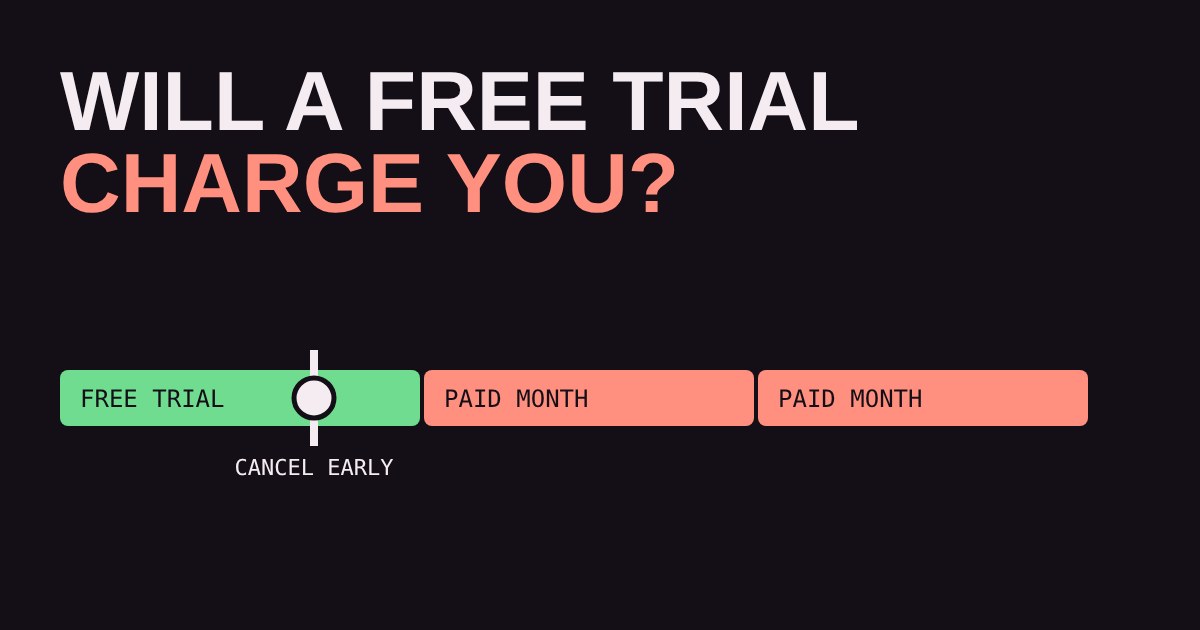
The most common mistake is waiting for the final day. Some services want a bit of notice. PlayStation's membership guide says you can cancel up to 24 hours before the payment date or before the trial ends. Other services process the charge at a set time that you can't see. The safe habit is simple: cancel the same day you start. You normally keep the trial until it ends, so you lose nothing by switching auto-renew off straight away.
Try it below. Pick a trial length, set a monthly price, then drag the marker to the day you remember to cancel.
Where to switch auto-renew off
You cancel in the place where you signed up, which is not always the console you play on. A subscription bought on a console is managed in that platform's account settings. One bought through a phone app store is managed in that app store. One bought on a website is managed on that website. If you can't find the setting, look at the receipt email: it names who charged you.
Turning off auto-renew does not usually end your access at once. You keep what you already paid for until the period runs out. The catch is that games you only had through the subscription stop working when it ends, and your saves are usually kept if you come back later.
Price rises and stacked plans
Trials are not the only trap. Subscription prices go up from time to time, and the plan you joined cheaply may renew at a higher price. Services say they notify you before a new price is charged, usually by email, so read those emails instead of deleting them. Also watch for plans that stack: a second membership on the same account, or a family plan that someone else started, can quietly keep charging after you thought you were done.
What to look for
Before you start any trial, run through this short check:
Know the end date. Put it in your phone calendar with the service name, and set the reminder for the day before.
Switch auto-renew off on day one. Treat the trial as something that ends by itself, not something you must remember to stop.
Check who bills you. Console wallet, card, or phone app store: the cancel button lives there.
Read the first reminder email. It shows the real price and the real date, and it is your last easy exit.
A trial is a fair way to find out whether a subscription suits you. Used with a reminder and a switched-off auto-renew, it costs nothing. Used on autopilot, it is a monthly bill you never chose.
More in Subscriptions
all Subscriptions →21 Oct Which 'free' games do you keep? What happens when you cancel a subscription Cancelling a game subscription stops the next charge, but what happens to your games depends on how you got them. Some are rented and lock… Subscriptions
19 Oct Can your internet handle cloud gaming? Speed, ping and Wi-Fi explained Cloud gaming streams the game to you as video, so your home internet becomes your console. Two numbers decide how it feels: speed, which… Subscriptions
17 Oct Do you need a subscription to play online? What's free and what's paywalled Do you really need to pay for PlayStation Plus, Game Pass or Nintendo Switch Online? It depends on what you play. On console, the… Subscriptions
15 Oct Is a game subscription cheaper than buying your games? A break-even calculator Is a game subscription cheaper than buying your games? It depends on three numbers: how many games you play, how many are in the catalog… Subscriptions
13 Oct Will your save survive? Cloud saves and game subscriptions explained Your save file lives in two places: on your console, and in the cloud. Whether the cloud copy survives depends on the platform and on… Subscriptions
11 Oct Which game subscription tier do you need? Essential, Extra, Premium and Ultimate explained Game subscriptions come in tiers with names that tell you almost nothing. Essential, Extra, Premium, Ultimate, Expansion Pack: which one do…