Which 'free' games do you keep? What happens when you cancel a subscription
Cancelling a game subscription stops the next charge, but what happens to your games depends on how you got them. Some are rented and lock when the membership ends, some are claimed and stay in your library for good, and some are bought and always yours.
Cancel on a day of your choice in the interactive, move through the month, and see which games, discounts, online play and saves you keep, plus a short checklist to run before you cancel.
You subscribed to play one game, and now you want out. Before you press Cancel, it helps to know what actually happens, because not everything you got "for free" is treated the same way. Some of it vanishes, some of it is yours for good, and a few things sit in the middle.
Cancelling stops the next charge, not today's access
On the big console and Xbox services, cancelling turns off the renewal. You keep your perks until the end of the period you already paid for. PlayStation's support page says benefits continue until the end of the paid subscription period, and Xbox coverage says the same about Game Pass. So there is no rush to cancel on the last day: cancelling early costs you nothing, and it means you will not be charged again by accident.
After that period ends, the service treats you as a non-member. What that means depends on how you got each game.
Rented, claimed or bought
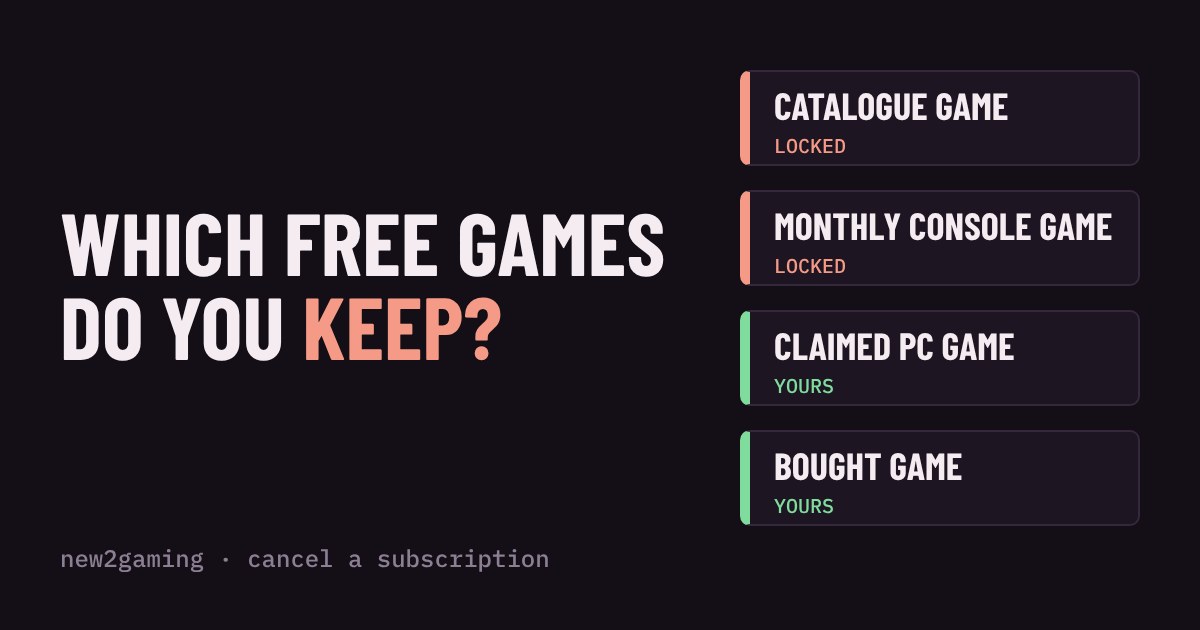
Think of three buckets. Rented games come from a catalogue: you can play them only while you pay. When the membership ends, the game may stay installed on your drive, but it will not start until you come back. Game Pass works like this, and so do the monthly games on PlayStation Plus, which Sony says stop being available once the membership ends.
Claimed games are different. A free game you claim in a PC store is added to your library, and Epic's help page says that once claimed, the game is yours permanently. Some monthly perks from other subscriptions work the same way, because the game is redeemed in a separate store. The catch is that you must claim it in time, so a "free" game you never claimed was never yours.
Bought games are yours no matter what. That includes games you bought with a member discount: PlayStation says discounted purchases remain yours. The discount itself ends with the membership, so the next game costs full price.
Try it: cancel and watch what stays
Saves and the small print
Game Pass coverage says your save data stays intact when you cancel, and PlayStation's page says online storage ends with the membership. Nintendo said in 2018 that Switch Online cloud backups would be kept for about 180 days if you re-subscribe within that window, but the rules can change, so read the current terms. The safe habit is simple: if a game matters to you, make sure its save is on your console or drive too, not only in the cloud.
Before you cancel: a short checklist
First, finish what you are playing, or at least reach a good stopping point, because a locked game is frustrating to leave halfway. Second, claim any monthly game you actually want while you are still a member, but only if the service lets you keep it. Third, look at the date your paid period ends, since that is the real deadline for everything above. Finally, if you signed up through a free trial, set a reminder for the day before it converts, so that cancelling is your decision rather than a surprise.
Subscriptions are good value when you play a lot of different games and poor value when you play one. Knowing what you keep makes it easier to join for a month, enjoy the catalogue, and leave without losing anything that was really yours.
More in Subscriptions
all Subscriptions →19 Oct Can your internet handle cloud gaming? Speed, ping and Wi-Fi explained Cloud gaming streams the game to you as video, so your home internet becomes your console. Two numbers decide how it feels: speed, which… Subscriptions
17 Oct Do you need a subscription to play online? What's free and what's paywalled Do you really need to pay for PlayStation Plus, Game Pass or Nintendo Switch Online? It depends on what you play. On console, the… Subscriptions
15 Oct Is a game subscription cheaper than buying your games? A break-even calculator Is a game subscription cheaper than buying your games? It depends on three numbers: how many games you play, how many are in the catalog… Subscriptions
13 Oct Will your save survive? Cloud saves and game subscriptions explained Your save file lives in two places: on your console, and in the cloud. Whether the cloud copy survives depends on the platform and on… Subscriptions
11 Oct Which game subscription tier do you need? Essential, Extra, Premium and Ultimate explained Game subscriptions come in tiers with names that tell you almost nothing. Essential, Extra, Premium, Ultimate, Expansion Pack: which one do… Subscriptions
9 Oct Will you finish it before it leaves? How subscription catalogs rotate Games come and go from subscription catalogs, and a leaving soon label can turn a relaxed hobby into a race. This guide explains why…